Performing a True Reset in Undertale sounds simple until the game starts acting like it remembers your browser history, your snack choices, and that one time you accidentally hit “Fight” instead of “Act.” That is part of Undertale’s magic. Toby Fox’s indie RPG is famous not only for its bullet-dodging battles and skeleton-based comedy, but also for the way it treats saving, resetting, mercy, consequences, and memory as part of the story itself.
This guide explains how to perform a True Reset in Undertale in 13 clear steps. It also explains the difference between a normal Reset, a True Reset, and a manual save-data wipe, because those are not exactly the same thing. If you are trying to replay the game from a clean emotional slate, prepare yourself: the game may reset, but your guilt over Toriel’s disappointed face may remain permanently installed in your soul.
Before we begin, a spoiler warning is necessary. This guide discusses the True Pacifist ending, save files, post-game menus, and the consequences of different Undertale routes. If you have not completed the game at least once, you may want to experience the Underground naturally first. Undertale is best when it surprises you, gently hugs you, and then pokes you in the ribs with moral accountability.
What Is a True Reset in Undertale?
A True Reset is a special reset option that becomes available after completing the True Pacifist Route. Unlike a regular Reset, which clears your current run but leaves some remembered details behind, a True Reset erases most route-specific memory and lets you begin again as if the main story timeline has been restored to the beginning.
In plain English: a normal Reset is like cleaning your room by shoving everything under the bed. A True Reset is like actually cleaning the room, washing the sheets, opening a window, and pretending you are now the kind of person who owns matching storage bins.
However, True Reset is not the same as deleting every Undertale-related file on your computer. The game stores certain information outside the ordinary save experience, especially after specific route choices. That means players who want a completely fresh installation may need a manual file reset instead. This article focuses first on the proper in-game True Reset, then explains when file deletion may be useful.
Before You Reset: Important Warnings
A True Reset removes your completed True Pacifist state
Once you perform a True Reset, your True Pacifist ending state is cleared. You can replay the game, rename the fallen human, and rebuild relationships from the beginning. That is the point. It is also why Flowey’s post-ending warning feels less like a menu prompt and more like a tiny yellow flower judging your life decisions.
A True Reset does not always erase Genocide consequences
If you completed a Genocide Route, Undertale may preserve certain consequences separately from the normal save file. This is one of the game’s most famous meta-design tricks. A standard in-game True Reset is not necessarily enough to make the game behave as if every route choice never happened.
Manual save deletion can remove progress permanently
If you delete save files manually, you may lose your progress for good. Back up files before editing or deleting anything. This is especially important on Steam because Steam Cloud can sometimes restore files you thought were gone. In other words, your computer may say “deleted,” while the cloud says, “That’s cute.”
How to Perform a True Reset in Undertale: 13 Steps
Step 1: Understand which reset you actually need
First, decide whether you need an in-game True Reset or a manual fresh-start reset. If you have completed the True Pacifist Route and simply want to replay Undertale from the beginning, use the in-game True Reset. If you are trying to remove all visible save data from a PC installation, you may need the manual file method later in this guide.
Step 2: Complete a Neutral Route first
To unlock the True Pacifist path, you normally need to complete the game at least once through a Neutral ending. This introduces the ending structure and sets up the conditions for the deeper pacifist content. Avoid gaining EXP if your goal is True Pacifist. That means no monster-killing, no “just one hit,” and no pretending the Froggit started it.
Step 3: Reload your save after the Neutral ending
After the Neutral ending, reload your existing save file rather than starting over immediately. Flowey may give you a hint about what to do next, depending on your choices. This is Undertale’s way of nudging you toward the route where friendship becomes both a gameplay mechanic and a full-time job.
Step 4: Make sure you have gained no EXP
The True Pacifist Route requires that you do not kill enemies. Check your LV and EXP. If you have gained EXP, you will need to reset and begin again without killing monsters. The game is very serious about mercy. It may contain jokes about dogs, but it does not joke about consequences.
Step 5: Befriend Papyrus
After sparing Papyrus, visit him at his house in Snowdin and complete his hangout or date sequence. Papyrus is not optional if you want the full True Pacifist chain. Also, skipping Papyrus would be morally questionable. The man has spaghetti ambition and deserves respect.
Step 6: Befriend Undyne
After sparing Undyne, give her water when she collapses in Hotland, then later visit her house to complete her friendship event. This step is essential for moving toward True Pacifist. It also teaches an important life lesson: sometimes the path to peace involves surviving a cooking lesson that should legally require a fire marshal.
Step 7: Continue through Hotland and the Core
Progress through Hotland and the Core without killing enemies. Use Act commands, spare options, fleeing when appropriate, and patience. Some encounters can feel chaotic, but Undertale usually gives you a non-lethal way forward. The game’s message is not “combat is impossible.” It is “maybe stop turning every awkward meeting into a knife problem.”
Step 8: Spare Mettaton EX
During the Mettaton EX battle, increase the ratings and survive until the fight reaches its non-lethal resolution. You do not need to destroy him. In fact, letting the drama robot have his moment is basically community service. Once Mettaton’s battle ends peacefully, continue toward the end of the game.
Step 9: Return for Alphys-related events
After the correct conditions are met, you can trigger additional events involving Alphys. This chain eventually leads toward the True Lab, one of Undertale’s most important story areas. If you are following the True Pacifist route correctly, the game will guide you through the necessary late-game steps.
Step 10: Complete the True Lab
The True Lab reveals major story information and is required for the True Pacifist ending. Explore carefully, read entries, solve the area’s puzzles, and proceed through the encounters without killing. The mood here shifts from goofy to eerie, proving that Undertale can make a refrigerator more emotionally complicated than most movie villains.
Step 11: Reach and complete the True Pacifist ending
After completing the necessary friendship and True Lab events, proceed to the final sequence. The True Pacifist ending resolves the main conflict with mercy, connection, and a level of emotional sincerity that may cause players to stare quietly at the screen for several minutes. This is normal. Hydrate.
Step 12: Return to the main menu
After the True Pacifist ending, return to the main menu. You should now see the option for True Reset. This option replaces the ordinary reset function after the full pacifist conclusion. The game is essentially asking whether you really want to send everyone back before the events happened.
Step 13: Select True Reset and confirm
Choose True Reset from the menu and confirm your choice. Undertale will clear most of the relevant saved story data and allow you to start again. Congratulations: you have successfully performed a True Reset in Undertale. The monsters will not remember what happened. You, however, absolutely will.
Normal Reset vs. True Reset vs. Manual File Reset
Normal Reset
A normal Reset is available from the menu during ordinary play. It clears much of your current run, including basic progress, but Undertale may still remember certain information. Character dialogue can change because the game is designed to notice repeated attempts. A normal Reset is useful when you want to restart a run, but it is not the cleanest possible reset.
True Reset
A True Reset becomes available after the True Pacifist ending. It clears most timeline memory tied to that completed route. This is the best in-game option for replaying Undertale after the happiest ending. It is also the thematically intended reset: you finished the story, then chose to begin again.
Manual File Reset
A manual file reset means deleting or moving Undertale save files from your computer. This method is outside the in-game menu. It is useful if you want to remove local save data, prepare the game for another person, or troubleshoot a stubborn save state. It should be done carefully, preferably after making a backup.
How to Manually Reset Undertale Save Data on PC
If the in-game True Reset is not enough for your situation, you can manually remove Undertale save data. This is most relevant for PC players. Console players generally manage save data through the console’s system storage settings rather than by accessing individual files.
Windows save location
On Windows, Undertale save files are usually stored here:
You can open this quickly by pressing Windows + R, typing %LOCALAPPDATA%\UNDERTALE, and pressing Enter. Inside, you may see files such as file0, file9, undertale.ini, and other configuration files.
macOS save location
On macOS, the save folder is usually located here:
Open Finder, choose Go, select Go to Folder, paste the path, and press Enter. If the Library folder is hidden, the Go to Folder option is your best friend. Treat it kindly.
Linux save location
On Linux, Undertale save data is commonly found in a configuration directory such as:
Exact locations can vary depending on installation method, Steam configuration, and compatibility tools. If you are using Steam Proton, check both native-style and Proton-related paths if the obvious folder does not contain your files.
Should You Disable Steam Cloud Before Deleting Files?
Yes, if you are using Steam and trying to prevent save data from returning, you should consider disabling Steam Cloud synchronization for Undertale before deleting local files. Steam Cloud is designed to preserve files across devices, which is great when you buy a new PC and terrible when you are trying to make a game forget your sins.
Open Steam, go to your Library, right-click Undertale, choose Properties, and look for the Steam Cloud setting. Disable cloud synchronization for the game if available. You can also manage Steam Cloud globally through Steam settings, but changing it per game is usually cleaner.
After disabling cloud sync, close the game and Steam completely before deleting or moving save files. Then launch Undertale and confirm whether it starts fresh. If Steam prompts you about cloud conflicts later, read the prompt carefully. Choosing the wrong option may restore the old files.
What About Post-Genocide Files?
Undertale is famous for remembering certain Genocide Route consequences. Players often discuss files named system_information_962 and system_information_963, which may appear after major Genocide-related outcomes. If your goal is a totally clean PC state, these files may need attention in addition to ordinary save files.
This is where the difference between “True Reset” and “make the game forget everything on this machine” matters most. The in-game True Reset is part of Undertale’s story logic. Manually removing system information files is a technical action. One is a narrative choice. The other is you in a folder, squinting at filenames like a detective in a very nerdy crime drama.
If you choose to remove these files, back them up first. Move them to a separate folder rather than deleting them immediately. That way, if something goes wrong or you change your mind, you can restore them. Never edit random files unless you know what they are. The Underground is dangerous enough without you speedrunning file corruption.
Common Problems and Fixes
The True Reset option does not appear
If True Reset does not appear, you probably have not completed the True Pacifist ending. Make sure you have fulfilled the friendship requirements, completed the True Lab, and reached the full pacifist conclusion. A Neutral ending alone is not enough.
The game still remembers my name
A normal Reset may leave some details intact. A True Reset clears more, but Undertale’s memory systems are intentionally unusual. If you are trying to remove every trace for a new player, manual save deletion may be more appropriate.
My deleted save came back
This is often caused by cloud synchronization. Disable Steam Cloud for Undertale, delete or move the files again, launch the game, create a new save if needed, and watch for cloud conflict prompts. Do not blindly click through Steam messages unless you enjoy being pranked by infrastructure.
I am on Nintendo Switch, PlayStation, or Xbox
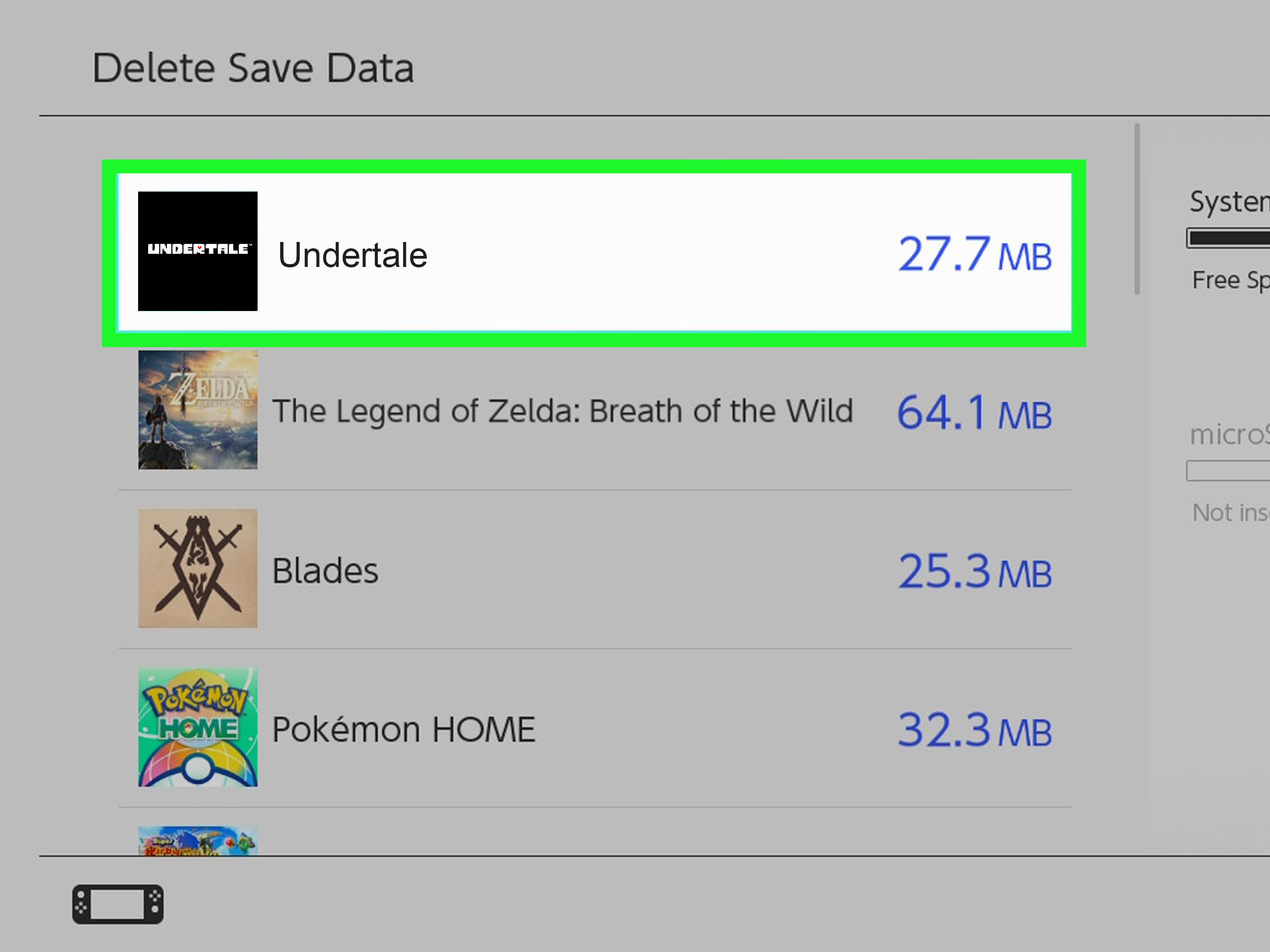
Use your console’s system save-data management tools. The exact menu differs by platform, but the idea is the same: find Undertale’s saved data and delete it from the system storage if you want a full fresh start. Be careful, because console deletion is usually permanent unless you have cloud backups.
Is It Worth Doing a True Reset?
That depends on why you are resetting. If you want to replay Undertale and explore different dialogue, a True Reset can be worthwhile. The game is short enough to replay, but layered enough that small choices can feel meaningful. If you want to show Undertale to a friend or family member, a fresh start helps preserve the surprise.
However, if you completed True Pacifist and felt satisfied, you may decide not to reset. Undertale’s ending gently challenges the player’s desire to keep replaying, controlling, and rearranging the lives of characters who finally reached peace. That is not just a menu option. It is the game asking, “Are you doing this for them, or for you?” Rude question, excellent game design.
Best Practices Before Starting Over
- Back up your save files before manual deletion.
- Disable Steam Cloud if you do not want old files restored.
- Use the in-game True Reset if you completed True Pacifist and want the intended reset.
- Avoid third-party save tools unless you trust the source and understand the risk.
- Keep spoilers away from new players if you are resetting for someone else.
Player Experience: What It Feels Like to True Reset Undertale
Performing a True Reset in Undertale is not like restarting a normal RPG. In most games, resetting is mechanical. You delete a file, start a new save, and move on. Undertale makes the action feel strangely personal. By the time you unlock True Reset, you have probably spent hours sparing enemies, befriending bosses, laughing at Papyrus, worrying about Alphys, admiring Undyne’s terrifying commitment to everything, and wondering why a flower has better psychological warfare skills than most final bosses.
The first time many players see the True Reset option, they hesitate. That hesitation is the point. Undertale has spent the entire adventure teaching you that choices matter, then hands you a button that says, in effect, “Would you like to undo everyone’s happy ending?” It is a brilliant little trap because the game knows players are curious. We want to see alternate dialogue. We want to test boundaries. We want to know what happens if we choose differently. Undertale looks at that curiosity, smiles politely, and makes it part of the story.
From a practical perspective, a True Reset is useful. It lets you replay from the beginning, rename the fallen human, and experience the early game again without the completed True Pacifist state sitting on the menu. For players writing guides, recording videos, studying route differences, or introducing the game to a friend, this is convenient. It creates a cleaner starting point without requiring immediate file surgery.
Emotionally, though, the reset can feel a little haunted. The opening scenes hit differently after you know who everyone is. Toriel is not just a tutorial character anymore. Papyrus is not just a goofy skeleton with puzzle dreams. Sans is not just the guy selling hot dogs in defiance of basic food safety. Every room carries memory, even when the game says the timeline has gone back. That is the clever contradiction: Undertale can erase the characters’ memories, but it cannot erase yours.
Many players use True Reset to appreciate the writing more deeply. On a second run, jokes land differently because you understand the foreshadowing. Small lines suddenly feel sharper. The SAVE points, route choices, and enemy encounters become less like ordinary RPG systems and more like pieces of a larger argument about control. Undertale asks whether being able to do something means you should do it. That question applies to fighting monsters, reloading saves, and resetting the world after everyone finally escaped.
If you are resetting for a friend, the experience is more practical but still meaningful. You want them to meet Flowey, Toriel, Sans, Papyrus, Undyne, Alphys, Mettaton, Asgore, and the rest of the Underground without your old decisions peeking through. A clean save lets the new player feel watched by the game instead of by your leftovers. Just remember to let them make their own choices. Do not hover over their shoulder whispering “ACT, YOU FOOL” every time a battle starts. That is not friendship. That is live commentary with emotional damage.
Ultimately, the best True Reset experience comes from knowing why you are doing it. If you want to replay because you love the game, go ahead. If you want to explore different outcomes, be prepared for the game to notice. If you want to preserve the True Pacifist ending as your final memory, that is valid too. Undertale is unusual because walking away can feel like a choice, not a failure. Sometimes the most powerful reset is the one you decide not to press.
Conclusion
Learning how to perform a True Reset in Undertale is easy once you understand the route requirements. Complete the True Pacifist ending, return to the main menu, choose True Reset, and confirm. The harder part is understanding what that action means. Undertale turns a simple game function into a story decision, which is why people still discuss its save system years after release.
If you only want to replay after True Pacifist, use the in-game True Reset. If you want to remove local save data completely, use the manual file method with caution, backups, and Steam Cloud awareness. Either way, remember that Undertale is not just asking whether you can reset. It is asking whether you are determined enough to live with the choice.