Note: This publication-ready article is written in standard American English, based on real retro gaming, PCB assembly, electronics repair, and low-cost SMD soldering practices. No external source links are inserted in the article body.
The original Nintendo Game Boy has the rare ability to make grown adults stare lovingly at gray plastic like it is a museum artifact, a childhood diary, and a tiny brick-shaped spaceship all at once. Decades after its 1989 debut, the Game Boy is still alive in repair benches, modding communities, retro collections, and home electronics labs. But the most exciting part is no longer just swapping a screen or cleaning a cartridge slot. Today, makers are assembling custom Game Boy PCBs with surprisingly low-cost tools, proving that serious electronics work does not always require a factory, a giant reflow oven, or a bank account that cries every time you open a parts cart.
A modern Game Boy PCB project might involve a replacement motherboard, a display upgrade board, a button PCB, an audio board, or a microcontroller-powered module designed to fit inside the original shell. Some projects use modern chips, compact surface-mount components, and custom layouts that squeeze a lot of hardware into a very small space. That sounds intimidating, especially when the board is full of components smaller than sesame seeds. Yet with a USB hot plate, a temperature-controlled soldering iron, flux, tweezers, solder paste, magnification, and a steady workflow, hobbyists can assemble impressive boards at home.
This is the magic of low-cost PCB assembly: it lowers the gate without lowering the ambition. You still need patience. You still need respect for heat, fumes, and tiny parts that love to teleport into carpet. But you do not need a commercial assembly line to build something meaningful. A Game Boy PCB assembled with low-cost tools is a perfect example of how retro hardware, open-source design culture, and modern maker techniques can meet on one very crowded workbench.
Why the Game Boy Is Still a Perfect PCB Playground
The Game Boy is simple enough to understand but important enough to care about. That is the sweet spot for a hardware project. Its original design used mature, affordable technology, including a monochrome display, cartridge-based games, physical buttons, and battery power. Those choices made it durable, portable, and wildly successful. They also make it approachable for modern tinkerers.
Unlike newer handheld consoles packed with glued assemblies, custom silicon, and ultra-dense multilayer boards, the classic Game Boy feels repairable. You can open it, see the major sections, identify connectors, understand the button matrix, and trace the logic of the design. For people learning electronics, that visibility is gold. It turns the device from a sealed mystery into a hands-on classroom.
Modern replacement and upgrade PCBs often build on that foundation. A custom board may preserve the original shell and controls while adding a sharper display interface, improved power management, cleaner audio, or a modern microcontroller. Some projects are designed to rescue corroded or dead original boards. Others are made for experimental upgrades that Nintendo engineers in 1989 would probably have considered wizardry, or at least suspiciously tiny.
What “Low-Cost Tools” Actually Means
Low-cost does not mean careless. It means choosing practical tools that are affordable, widely available, and good enough for small-batch PCB work. The typical budget setup for assembling a compact Game Boy PCB includes:
- A small USB-powered or desktop hot plate for reflow soldering
- A temperature-controlled soldering iron, such as a compact portable iron
- Good flux, because flux is the difference between “nice joint” and “why does this look like a tiny metal crime scene?”
- Solder paste in a syringe or applied through a stencil
- Fine tweezers for placing SMD components
- Magnification, such as a loupe, microscope, or phone camera setup
- Isopropyl alcohol and lint-free swabs for cleaning
- Solder wick for fixing bridges
- A multimeter for continuity checks
- ESD-safe habits, including grounding and careful handling
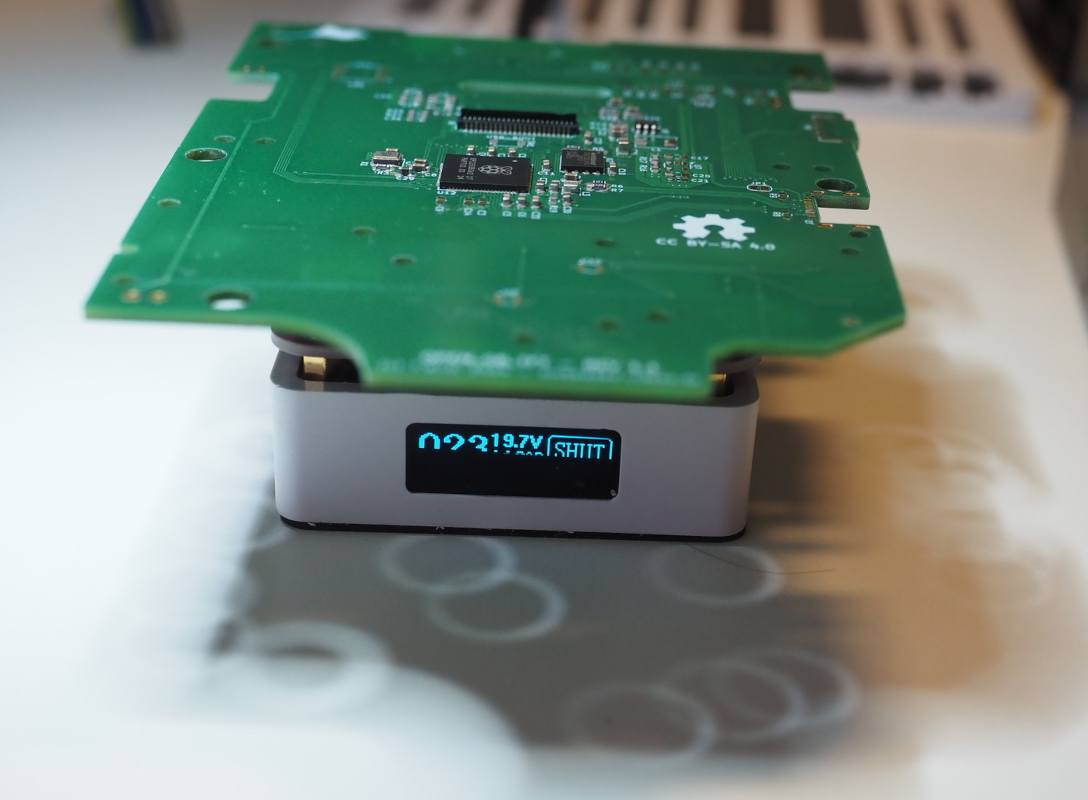
For a Game Boy PCB, the hot plate is often the star of the budget bench. Instead of soldering every surface-mount part one pad at a time, you apply solder paste, place the components, heat the board, and let reflow do its work. The solder melts, wets the pads, and often pulls small components into alignment through surface tension. It looks like electronics doing a tiny magic trick, except the magician is chemistry and heat.
The soldering iron still matters. It is used for through-hole parts, connectors, touch-ups, drag soldering, fixing bridges, and reworking stubborn joints. A hot plate can do a lot, but it is not a replacement for skill. Think of it as a tiny stove for circuit boards, not an “easy button.”
Why Surface-Mount Assembly Is Necessary
The Game Boy shell is not huge. It may feel chunky compared with a smartphone, but inside, space disappears quickly. Once you add a modern display module, microcontroller, voltage regulation, connectors, buttons, and supporting passive components, the board becomes crowded. Through-hole parts take up too much room. Surface-mount devices, or SMD components, allow designers to pack more function into less space.
That is why many modern Game Boy PCB projects use small resistors, capacitors, ICs, voltage regulators, flex connectors, and fine-pitch components. These parts make the board compact enough to fit into the original enclosure. They also make assembly more delicate. A misplaced 0402 resistor can ruin your afternoon, especially when it vanishes into another dimension, also known as “under the desk.”
Still, SMD soldering is not impossible for beginners. It simply rewards preparation. Clean pads, controlled solder paste, correct orientation, good lighting, and slow placement make a massive difference. The goal is not speed. The goal is repeatability.
The Basic Workflow for a Budget Game Boy PCB Build
1. Inspect the PCB Before Touching Solder
Before assembly begins, inspect the board under magnification. Look for scratches, damaged pads, manufacturing defects, clogged vias, or solder mask issues. Check the silkscreen labels and compare the board to the bill of materials. A five-minute inspection can prevent a five-hour troubleshooting session later.
2. Organize Components Like Your Sanity Depends on It
Small components are easy to confuse. A 10k resistor and a 100k resistor can look identical unless you enjoy decoding microscopic markings. Sort parts by value, label them clearly, and work in sections. Many builders use small trays, printed placement sheets, or tape strips to keep parts organized.
3. Apply Solder Paste Carefully
Solder paste should be applied to the pads, not smeared across the board like frosting on a cupcake. A stencil is ideal for repeat builds, but a syringe can work for prototypes. Use less paste than you think you need. Too much paste causes solder bridges, especially on fine-pitch ICs.
4. Place Components With Tweezers
Place the smallest and flattest components first. Resistors and capacitors are usually straightforward, while ICs require careful alignment. Pay close attention to polarity markings on diodes, LEDs, electrolytic capacitors, and chips. One backwards component can turn a beautiful board into a very flat paperweight.
5. Reflow on the Hot Plate
Set the PCB on the hot plate and heat gradually. Watch the solder paste change from dull gray to shiny liquid. Once the joints have flowed, remove heat and let the board cool naturally. Do not poke components while the solder is molten unless you enjoy chaos in high definition.
6. Inspect, Clean, and Rework
After cooling, inspect every joint. Look for bridges, tombstoned passives, cold joints, shifted ICs, and unsoldered pins. Use flux and a soldering iron to touch up problem areas. Clean flux residue with isopropyl alcohol when appropriate, especially before testing.
7. Test Before Full Assembly
Do not immediately screw everything into the Game Boy shell and celebrate. First, test for shorts between power and ground. Verify voltage rails. Confirm continuity on critical connections. Power the board with current limiting when possible. A cautious first power-up is much cheaper than replacing a cooked chip.
Specific Challenges in Game Boy PCB Assembly
Game Boy-related PCBs are not just generic circuit boards. They need to fit inside a real enclosure, line up with real buttons, and interact with legacy hardware expectations. That creates several special challenges.
Shell Fitment
The original Game Boy case has posts, screw holes, button membranes, battery contacts, and display placement constraints. A board can be electrically correct but mechanically annoying. Even a connector that sits one millimeter too high can interfere with the shell.
Button Feel
Retro handhelds live or die by button feel. A custom PCB must align with the silicone membranes and contacts properly. If the D-pad feels mushy or the A button requires the force of a medieval door latch, users will notice immediately.
Power Stability
Modern upgrades may draw power differently from the original hardware. Display upgrades, microcontrollers, audio improvements, and backlights can all increase demand. Good voltage regulation and clean grounding are essential for reliable operation.
Connector Fragility
Flex cables and small board connectors are often delicate. Low-cost tools can assemble the board, but rough handling can still break parts. The best tool here is not expensive; it is patience.
Why Modern Microcontrollers Make These Builds More Interesting
Modern microcontrollers have changed what hobbyists can build into retro systems. Chips such as the RP2350 family offer far more processing capability than classic handheld hardware while remaining affordable and accessible. In a Game Boy display or interface board, a modern microcontroller can handle timing, signal conversion, display driving, configuration, or custom features that would have required far more hardware in the past.
This does not mean the Game Boy stops being a Game Boy. The best upgrades respect the personality of the original device. The goal is often to keep the shell, buttons, cartridge experience, and pocketable charm while improving reliability or usability. A good PCB upgrade should feel like the Game Boy had a very productive weekend, not like it was replaced by a smartphone wearing a costume.
Cost-Saving Tips That Do Not Ruin the Build
Budget assembly works best when savings are thoughtful. Do not buy the cheapest possible solder paste from a mystery listing with three reviews and a product photo that looks like it was taken during an earthquake. Spend where quality matters: solder paste, flux, tweezers, and inspection tools. Save on things like fancy workbench furniture or oversized equipment you do not need.
Order extra passive components. Tiny resistors and capacitors are inexpensive, and losing one is almost guaranteed. Use practice boards before attempting a rare or complex PCB. If the board has a fine-pitch chip, practice drag soldering on scrap electronics first. Also, consider ordering a stencil if the PCB has many small pads. A stencil can turn paste application from “delicate surgery” into “actually manageable.”
Another smart move is staged assembly. Build and test sections if the design allows it. For example, assemble power components first, test voltage rails, then continue with the microcontroller or display circuitry. This makes debugging easier because you know which section introduced the problem.
Common Mistakes Beginners Make
The first mistake is using too much solder paste. Beginners often assume more paste creates stronger joints. In reality, too much paste creates bridges and blobs. The second mistake is rushing placement. If an IC starts misaligned, reflow may not save it. The third mistake is skipping inspection. A board can look “mostly fine” to the naked eye and still hide a microscopic bridge between two pins.
Another common issue is overheating plastic connectors. Hot plates, hot air tools, and soldering irons can damage connectors, shells, ribbon sockets, and switches. Use heat carefully and avoid lingering near plastic parts. Finally, many builders forget to clean the board. Flux is helpful during soldering, but residue can interfere with inspection and, in some cases, long-term reliability.
Safety Matters, Even on a Budget
Low-cost tools still get hot enough to burn skin and damage surfaces. Use a heat-resistant work area, keep flammable materials away, and do not use cookware for food after using it for electronics. Ventilation matters because soldering fumes and flux smoke should not be inhaled. Safety glasses are a good idea, especially when clipping leads or reworking parts. Younger builders should work with adult supervision, particularly around hot plates, soldering irons, and electrical testing.
Good safety habits are not boring. They are what let you keep building tomorrow.
Hands-On Experience: What a Budget Game Boy PCB Build Teaches You
Working on a Game Boy PCB with low-cost tools teaches lessons that no shopping cart can deliver. The first lesson is humility. You can have the correct schematic, the correct parts, the correct board, and still place one tiny component sideways because your hand twitched at the exact wrong moment. Electronics has a way of reminding you that confidence is useful, but magnification is better.
The second lesson is that cheap tools can be surprisingly capable when used carefully. A small hot plate will not behave like an industrial reflow oven, but for a compact board with sensible layout, it can produce clean joints. A portable soldering iron can handle rework beautifully if the tip is clean, the temperature is appropriate, and enough flux is used. Fine tweezers may look like a small purchase, but they become one of the most important tools on the bench.
The third lesson is that preparation beats talent. Builders who rush into assembly often spend more time fixing mistakes than they saved. The best workflow feels almost boring at first: label parts, clean the board, review component orientation, check the placement diagram, apply paste lightly, and inspect everything before heat. Then reflow becomes less of a gamble. The board still demands attention, but it stops feeling like a monster.
There is also a special kind of satisfaction in seeing a retro handheld come back to life through a board you assembled yourself. It is different from buying a finished upgrade. When the display lights up or the buttons respond, you know every joint has a tiny story behind it. There was the capacitor that tried to escape. There was the IC you aligned three times. There was the suspicious bridge that looked harmless until the multimeter said otherwise. The finished Game Boy feels personal because the process was personal.
One practical experience many builders share is learning to trust visual inspection less and electrical testing more. A joint can look shiny and still fail if it did not wet the pad properly. A board can look clean and still have a hidden short. Continuity mode on a multimeter becomes a trusted friend. So does current-limited power testing. The moment before first power-up is always dramatic. It is the electronics version of opening the oven after baking bread, except the bread may contain a microcontroller.
Another valuable lesson is that rework is normal. A perfect first pass is nice, but not required. Fixing bridges, repositioning parts, and touching up joints are part of the process. In fact, rework builds skill faster than easy success. You learn how solder behaves, how flux changes flow, how much heat is enough, and when to stop before making things worse. That judgment is what turns a beginner into a capable builder.
Finally, a low-cost Game Boy PCB project teaches respect for the original hardware. The Game Boy endured because it was practical, durable, and cleverly designed. Modern makers are not just upgrading an old console; they are joining a long conversation between affordability, repairability, and play. Assembling a PCB at home with modest tools continues that spirit. It says technology does not have to be disposable, mysterious, or locked away. Sometimes it can be opened, cleaned, rebuilt, improved, and played again.
Conclusion
A Game Boy PCB assembled with low-cost tools is more than a fun retro project. It is a practical example of how accessible modern electronics has become. With a small hot plate, a decent soldering iron, flux, tweezers, solder paste, magnification, and careful testing, hobbyists can build compact surface-mount boards that fit inside one of gaming’s most beloved handhelds.
The process is not effortless, and it should not be treated casually. Heat, fumes, fragile connectors, and tiny components demand respect. But the barrier to entry is lower than many people imagine. The same device that introduced millions of players to portable gaming can now introduce a new generation of makers to PCB assembly, electronics repair, and hardware creativity.
That is the real charm of the project. The Game Boy was always about doing more with less: simple screen, modest power, durable shell, unforgettable games. Building a modern Game Boy PCB with budget tools follows the same philosophy. It is clever, affordable, repairable, and just a little bit magical. In other words, very Game Boy.