There are two types of people on the internet: those who carefully zoom in before posting an edited image, and those who upload a photo with seven fingers, a melted doorframe, and a shadow that has apparently left the group chat. This article is for the second group. More specifically, it is for everyone who has ever looked at a picture online and whispered, “Wait… why does that chair have a knee?”
Funny Photoshop fails have become their own delightful corner of internet culture. They are part digital mystery, part comedy show, and part accidental art installation. Whether it is a missing hand, a floating product, a background that bends like cooked spaghetti, or a celebrity photo where the wall has clearly been through emotional damage, bad editing mistakes have a strange power: they make us stop scrolling.
And that is exactly why the phrase “Hey Pandas, post your funniest Photoshop fails” works so well. It feels like a call to the internet’s funniest detectives. The “Pandas” are not just laughing at mistakes; they are spotting tiny visual crimes with the focus of a hawk wearing reading glasses.
What Makes Photoshop Fails So Funny?
A Photoshop fail happens when an edited image accidentally reveals the edit. Sometimes the mistake is obvious enough to be seen from across the room. Other times, it hides in plain sight until someone notices that a model has two left hands or a product shadow is going in the opposite direction from the sun. At that point, the internet does what the internet does best: it gathers, points, laughs, and says, “Enhance!”
The humor usually comes from the gap between intention and result. A brand may want a polished ad, but the final image accidentally turns into a puzzle. A social media user may want a flawless vacation photo, but the ocean horizon bends around them like it is trying to escape. A product listing may try to make an object look sleek, only to create a floating item that appears to be haunted by poor layer management.
That contrast is comedy gold. Photoshop is powerful enough to create cinematic fantasy worlds, realistic product campaigns, and museum-level digital art. But when used carelessly, it can also create a dog with the proportions of a coffee table or a sofa that appears to be levitating under suspicious circumstances.
The Most Common Types of Funny Photoshop Fails
1. The Extra Limb Situation
Nothing says “professional photo edit” quite like a mysterious third hand appearing from behind someone’s shoulder. Extra fingers, bonus arms, duplicated feet, and hands that seem to belong to nobody are among the most beloved Photoshop mistakes. They are funny because the human brain is excellent at recognizing bodies. When something is off, even slightly, we notice.
Extra limbs usually happen when editors combine multiple photos, clone areas too aggressively, or rely on automated tools without checking the final result. The image may look fine at first glance, but once someone spots the extra hand, there is no going back. That hand is now the star of the show.
2. The Missing Body Part Mystery
On the opposite end of the editing buffet, we have missing limbs. A foot disappears under a dress. A hand vanishes into a sleeve. A person’s nose is edited so intensely that only a lonely nostril remains. These fails are often hilarious because they create a mini detective story. Where did the body part go? Was it removed? Did it quit? Was it never invited?
Missing body parts often come from rushed cutouts, bad masking, or overzealous retouching. The lesson is simple: before posting, count the hands, feet, fingers, and other important human equipment. It is basic quality control, but apparently, the internet still needs the reminder.
3. Warped Backgrounds
If a wall, doorframe, mirror, curtain, staircase, or tile line looks like it has entered a funhouse, there is a good chance someone edited the subject and forgot the background. Warped backgrounds are classic signs of digital reshaping. They are especially easy to spot when straight lines suddenly curve around a person or object.
This type of Photoshop fail is popular because it unintentionally reveals the edit. The editor may have focused so hard on the main subject that they ignored the evidence standing directly behind it. The wall knows what happened. The wall always knows.
4. Shadows That Refuse to Cooperate
Shadows are the unpaid interns of realism. When they are correct, nobody notices them. When they are wrong, the entire image falls apart. A person floating above the ground, a product casting a shadow in the wrong direction, or a car sitting on a road without any contact shadow can instantly make an image look fake.
Good compositing requires light direction, shadow softness, reflection, and perspective to agree with each other. When they do not, the result looks less like a polished ad and more like a cardboard cutout lost in the wrong universe.
5. Copy-Paste Chaos
Some fails are less about subtle editing and more about bold, fearless copy-paste energy. Think identical clouds repeated across the sky, cloned people in a crowd, duplicated trees, or product images where the same object appears twice with suspiciously familiar pixels.
Copy-paste errors are funny because they feel lazy in the most visible way. It is like the editor said, “Nobody will notice,” and then accidentally posted the image to a planet full of people who notice professionally as a hobby.
6. Scale Gone Wild
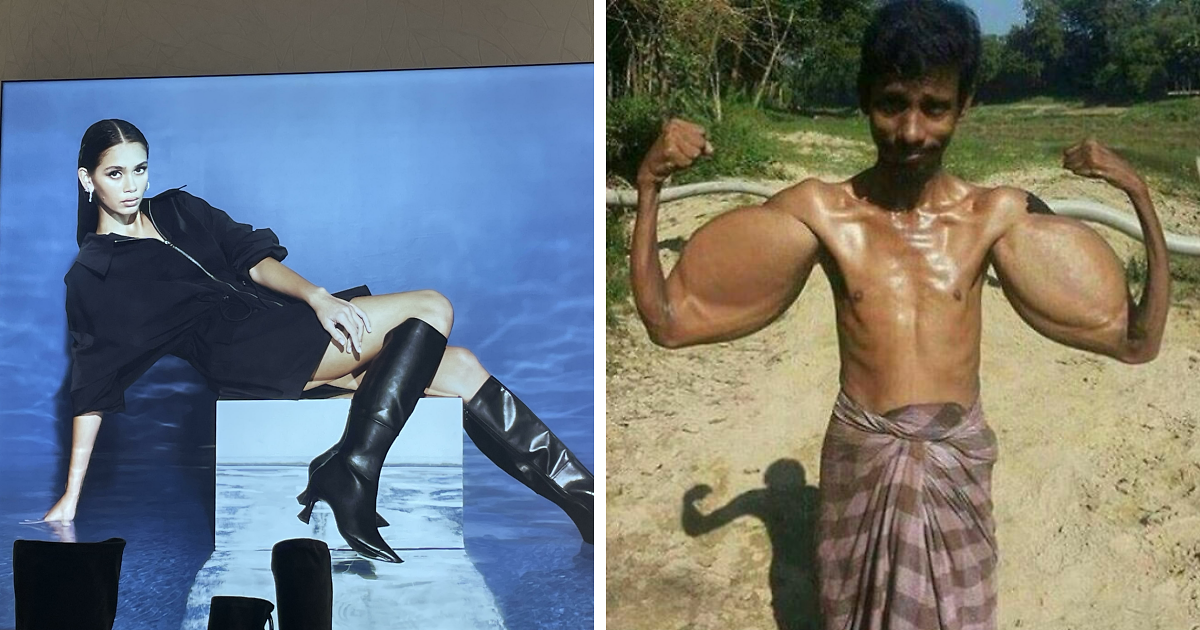
Scale is another favorite villain. A person might be placed next to a car and accidentally look twelve feet tall. A sofa may appear large enough to seat a small village. A coffee mug might be bigger than a laptop. When objects do not match the scene, the image becomes instantly strange.
Bad scale often happens in product mockups, real estate edits, fashion composites, and quick social media designs. Even a small mismatch can make viewers feel that something is wrong, even if they cannot explain it right away.
Why the Internet Loves Photoshop Disasters
Photoshop fails are not just about mocking bad edits. They are about the joy of noticing. In a world where images are polished, filtered, optimized, cropped, and retouched before we ever see them, a bad edit breaks the illusion. It reminds us that behind many “perfect” images is a very human process, complete with deadlines, shortcuts, mistakes, and possibly someone working at 1:17 a.m. with one eye open.
There is also a community element. When someone posts a funny Photoshop fail, people gather in the comments to analyze it. One person notices the missing shadow. Another spots the strange reflection. A third person points out that the dog’s paw is copied from a different dog entirely. Together, the audience becomes a forensic comedy squad.
That shared discovery is part of the entertainment. The fail becomes a game: find the mistake, explain the mistake, then make jokes about the mistake until the mistake becomes more famous than the original image.
Photoshop Fails in Advertising and Product Images
Some of the funniest Photoshop fails come from advertising. This is partly because ads are supposed to look professional. When a major campaign includes an impossible hand, an oddly stretched model, a floating bag, or a product that has clearly been inserted after the fact, the contrast is hilarious.
Product images are especially vulnerable. Online shops often use edited mockups to save time and money. That can work beautifully when done well. But when done badly, the product may look pasted on, incorrectly lit, too sharp, too blurry, or completely detached from the environment. A blanket might not follow the shape of the bed. A label might bend in a way that physics politely rejects. A chair might have legs that do not touch the floor.
For brands, these mistakes can damage trust. If the image looks fake, customers may wonder whether the product is fake too. That does not mean every edited product photo is dishonest. Editing is normal in commercial photography. But accuracy matters. A good product image should make the item clearer, not turn it into a visual riddle.
Celebrity and Social Media Photoshop Fails
Celebrity and influencer photos are another major source of internet Photoshop detective work. Social media platforms reward polished images, so it is not surprising that people edit photos before posting. The problem begins when the edit becomes obvious. A wavy doorframe, mismatched reflection, strange hand shape, or distorted furniture line can quickly turn a glamorous photo into a viral comedy event.
It is important to talk about these fails without turning them into body criticism. The funniest part is not someone’s appearance. The funny part is the editing mistake: the bent railing, the cloned background, the suspicious shadow, the impossible geometry. Laughing at bad pixels is fair game. Laughing at real people’s bodies is not.
In fact, Photoshop fails can be useful reminders that online images are often constructed. A photo may look effortless, but it might include careful lighting, posing, cropping, filtering, retouching, and multiple attempts. When the edit breaks, the illusion breaks too. That can be healthy. It reminds viewers not to compare real life to a digital highlight reel.
A Brief History: Image Manipulation Is Older Than Photoshop
Even though “Photoshop” has become a common word for digital editing, image manipulation did not begin with software. Long before modern photo editors, artists and photographers used darkroom techniques, hand coloring, composite printing, retouching, and staged scenes to alter images. Photography has always had a complicated relationship with truth.
That history makes today’s Photoshop fails even more interesting. The tools have changed, but the basic idea is old: humans love improving, changing, exaggerating, and remixing images. The difference now is speed. A person can edit a photo in minutes, post it instantly, and have thousands of people inspect it before lunch.
Modern tools, including AI-powered features, make editing faster and more accessible. That is exciting for artists, designers, students, marketers, and everyday creators. But it also raises the stakes. The easier it becomes to create realistic edits, the more important it becomes to check details and be transparent when an image is meant to inform rather than entertain.
When a Photoshop Fail Is Harmlessand When It Is Not
Most funny Photoshop fails are harmless. A badly edited pet photo, a goofy meme, a product mockup gone wrong, or a family picture with an accidental extra elbow is not exactly a national emergency. It is just funny.
However, edited images can become serious when they are used to mislead people. News photos, political images, product claims, medical visuals, and evidence-style images need a higher standard. In journalism and documentary photography, ethical guidelines generally allow basic adjustments such as cropping or tonal correction, but not changes that alter the truth of the scene.
That distinction matters. Creative editing is great when the audience understands that the image is art, satire, design, or entertainment. Misleading editing is a problem when the image is presented as factual proof. In short: turning your cat into an astronaut is funny. Altering a news photo to change what happened is not.
How to Spot a Photoshop Fail Like a Pro Panda
You do not need a design degree to spot bad editing. You just need curiosity, patience, and the willingness to zoom in like a suspicious raccoon.
Check the hands and feet
Hands are hard to edit and easy to mess up. Look for missing fingers, extra fingers, strange wrist angles, duplicated hands, or feet that disappear into furniture. If the pose looks physically impossible, you may have found the fail.
Follow the light
Light direction should be consistent. If one object is lit from the left and another from the right, something may have been added later. Also check whether shadows match the shape and position of the object.
Look at straight lines
Doorframes, window edges, bricks, tiles, shelves, and horizon lines are excellent truth-tellers. If they bend around the subject, an edit may have pushed them out of place.
Inspect reflections
Mirrors, water, glass, and shiny surfaces often reveal editing mistakes. A person may be changed in the main image but not in the reflection. A product may appear on a table but not in the shiny surface below it. Reflections are petty like that.
Watch for repeated patterns
Clone tools can leave repeated textures, clouds, grass patches, hair sections, or background objects. If two areas look exactly the same, they probably are.
Why Bad Edits Sometimes Become Better Than Good Ones
A perfect edit disappears. A bad edit performs. That is the strange beauty of Photoshop fails. They may not achieve the original goal, but they create a new kind of entertainment. In some cases, the fail becomes more memorable than the advertisement, post, or product it came from.
This is why people keep sharing them. A flawless image is impressive, but a hilariously broken image is social. It invites comments, jokes, guesses, and reactions. It becomes a tiny event. Everyone gets to participate.
There is also something comforting about these mistakes. They show that even professionals, brands, and people with huge platforms can miss obvious details. Nobody is immune to the occasional digital banana peel. The internet may be ruthless, but it is also deeply entertained by a floating shoe.
How to Avoid Becoming the Next Photoshop Fail
If you edit photos, the goal is simple: do not give the internet a reason to name your extra hand. Before posting, take a break and look again with fresh eyes. Flip the image horizontally. Zoom in and out. Check edges, shadows, reflections, and scale. Ask someone else to review it, preferably someone who enjoys pointing out tiny problems with suspicious enthusiasm.
Use layers carefully, keep original files, and avoid making extreme changes when subtle ones will do. If you are creating a funny or surreal edit, embrace the weirdness on purpose. Intentional absurdity is art. Accidental absurdity is a comment section waiting to happen.
For brands, the review process matters even more. A single product image may appear across websites, ads, newsletters, and social media. One mistake can travel fast. A final checklist can prevent a lot of embarrassment: realistic shadows, correct proportions, clean cutouts, consistent lighting, and no mystery limbs.
of Real-Life Experience: My Personal Lessons From Photoshop Fails
Anyone who has spent time editing images has a Photoshop fail story. Mine begins with confidence, which is usually where disaster likes to enter wearing sunglasses. I once tried to remove a distracting object from the background of a photo. The object disappeared, yes, but in its place I created a patch of grass that repeated so perfectly it looked like the lawn had been printed from a suspicious carpet factory. I did not notice until someone asked, very politely, why the backyard had “copy-paste energy.” That was the day I learned that the clone tool is powerful, but it is also a tiny chaos wand.
Another common experience is the “quick edit” that becomes a full investigation. You tell yourself you are only going to adjust brightness. Then you notice the sky looks dull, so you improve the sky. Then the subject looks too dark, so you brighten the subject. Then the shadows no longer match, so you adjust them. Thirty minutes later, the photo looks like it was taken on three different planets. The lesson? Every edit affects the whole image. Photoshop is not a vending machine where you press “better” and receive a masterpiece. It is more like cooking: add too much of one ingredient, and suddenly the soup tastes like regret.
One of the funniest things about Photoshop fails is how invisible they feel to the person making them. After staring at an image for too long, your brain starts accepting nonsense. A floating elbow? Looks fine. A blurry cutout edge? Artistic. A shadow going west while the sunlight goes east? Maybe the shadow has personal goals. This is why fresh eyes matter. Someone who has not been trapped inside the file for an hour can spot the problem immediately.
I have also learned that bad edits are often caused by rushing. The internet moves fast, deadlines are real, and sometimes people post before checking the details. But a two-minute review can save a lot of pain. Zoom in. Zoom out. Look at the background. Count fingers if humans are involved. Check whether objects actually touch the ground. If there is a mirror, prepare yourself emotionally, because mirrors expose everything.
The best Photoshop fails are funny because they are human. They remind us that creativity includes mistakes, and mistakes are often more entertaining than perfection. A bad edit can teach composition, lighting, perspective, anatomy, and humility all at once. That is a pretty good deal, especially if the only cost is a slightly haunted product photo.
So, hey Pandas, post your funniest Photoshop fails proudly. Share the floating chairs, the missing knees, the impossible shadows, the duplicated clouds, and the background walls that bend like they are trying to avoid responsibility. Laugh at the pixels, learn from the mistakes, and remember: before you upload, zoom in. The internet definitely will.
Conclusion
Funny Photoshop fails are more than internet jokes. They are tiny lessons in visual literacy, design, editing ethics, and human error. They show how powerful image editing can be, but also how easily a rushed or careless edit can turn into comedy. From missing limbs to warped walls, from floating products to suspicious shadows, every fail tells a story: someone tried to improve reality, and reality quietly filed a complaint.
The next time you see a polished image online, take a closer look. Not with cynicism, but with curiosity. Maybe it is a clean edit. Maybe it is a masterpiece. Or maybe, just maybe, there is an extra hand hiding behind the sofa, waiting for its moment of internet fame.
Note: This article is written for entertainment and digital-literacy purposes. It celebrates funny editing mistakes without encouraging body shaming, harassment, or misleading image manipulation.