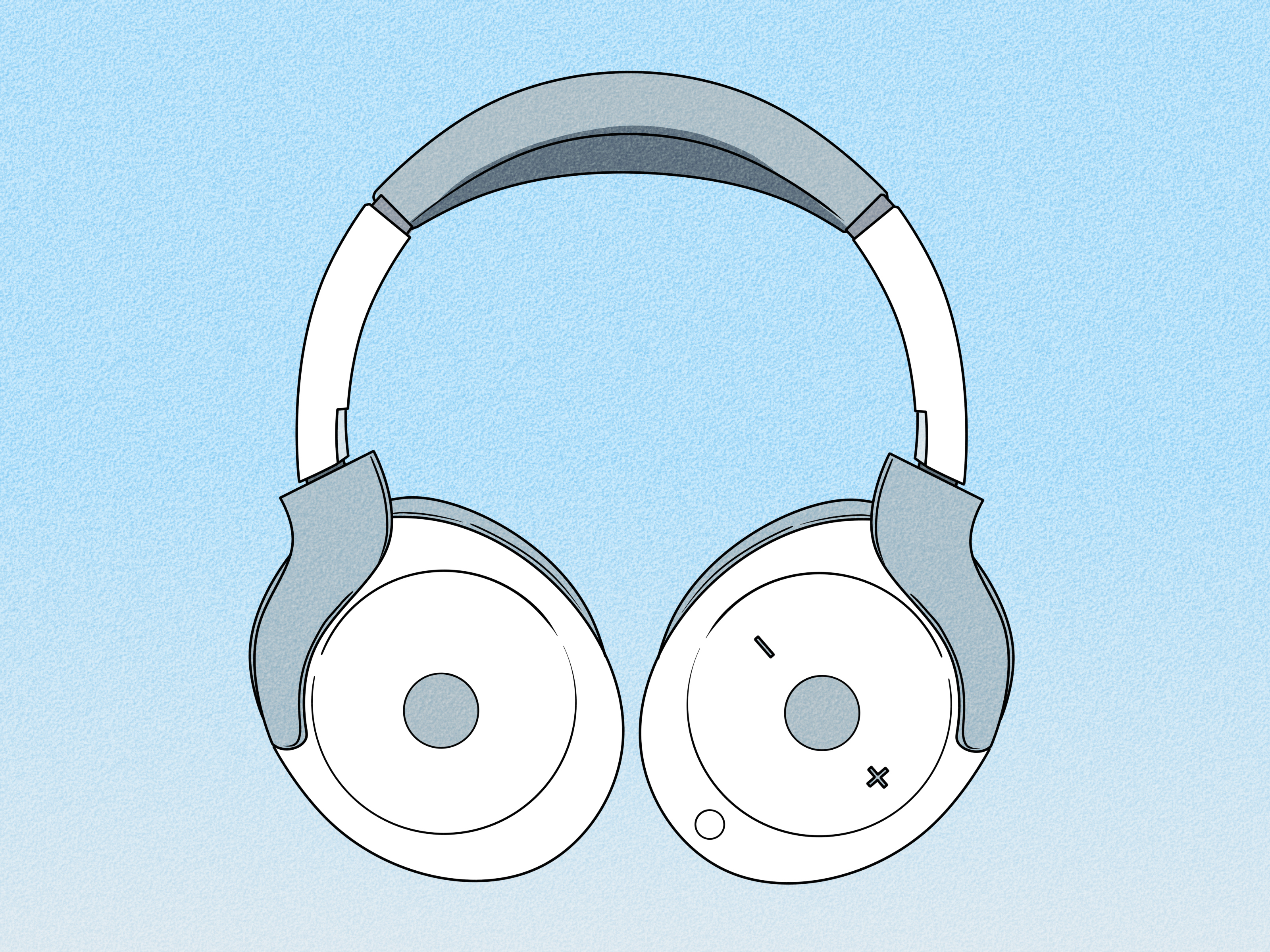
Note: This article is for informational purposes only. Louder is not always better, and your ears do not come with a factory reset button.
When your headphones sound too quiet, the first instinct is usually to mash the volume-up button like it personally offended you. Sadly, that heroic move often changes nothing. If your headphones still sound weak, muffled, or oddly timid even at high settings, the problem usually is not raw volume alone. It is often a mix of software limits, app settings, poor fit, dirty mesh, Bluetooth quirks, or simply a pair of headphones that needs more power than your device can deliver.
The good news: you usually do not need to buy a whole new setup right away. In many cases, making headphones louder is more about removing the brakes than flooring the gas pedal. A hidden volume cap, a streaming app’s normalization setting, a weak seal in your ear, or even a little buildup on the speaker grille can make a big difference. Fix those first, and your audio may suddenly sound alive again.
Below are 13 proven methods that actually work. Some are quick wins you can try in 30 seconds. Others are better long-term upgrades for people using hard-to-drive wired headphones, studio gear, or stubborn Bluetooth earbuds. Either way, this guide will help you get more volume the smart way, not the hearing-regret way.
Why Your Headphones Sound Too Quiet in the First Place
Before jumping into fixes, it helps to know what is going wrong. Headphones can sound quiet for a few common reasons:
- Your phone, laptop, or streaming app has a separate volume control that is turned down.
- A safety feature is limiting output to protect your hearing.
- Your EQ settings are cutting the frequencies that make audio feel punchy and full.
- Earbuds are not sealing properly, so bass leaks out and everything sounds weaker.
- The speaker mesh or ear tips are dirty enough to choke the sound.
- Bluetooth volume and device volume are not synced correctly.
- Your wired headphones have low sensitivity or higher impedance and need more power.
In plain English, “too quiet” can mean anything from “my app is half-muted” to “my headphones are trying to sip a smoothie through a coffee stirrer.” Different cause, different fix.
13 Proven Methods to Make Headphones Louder
1. Check the master volume and the app volume separately
This is the least glamorous fix, which is exactly why it gets skipped. Many devices have more than one volume layer. Your phone may be at 100%, while the app is at 40%. On Windows, the system volume can be high while a single app is turned down in Volume Mixer. On Bluetooth headphones, the headset itself may also have its own independent volume level.
Start by checking all three places: device volume, app volume, and headphone volume. If you are on a laptop, make sure the correct output device is selected too. You cannot make the sound louder if your system is sending audio to the wrong device with the personality of wet cardboard.
2. Use the headphone’s onboard controls or companion app
Many wireless models do not rely only on your phone’s volume buttons. Sony, Jabra, Bose, and other brands often let you control volume from the earcups, touch controls, or companion apps. If the headset and device volume are not synced, you may think you are maxed out when you are really only halfway there.
Open the brand app if your headphones use one. Check whether there is a separate volume slider, custom listening mode, or audio profile that is making playback seem quieter. Sometimes the fix is embarrassingly simple: the headphones themselves were turned down days ago, and nobody told you.
3. Turn off volume limiters and headphone safety caps
Modern phones are increasingly protective, which is great for your hearing and mildly annoying for your playlist. iPhones include Headphone Safety settings such as Reduce Loud Audio. Samsung phones may use Media Volume Limit. Other devices can apply regional hearing-protection limits, especially with Bluetooth gear.
If you genuinely need more volume, review these settings carefully. Do not turn them off casually and then pretend your ears were not warned. But if the cap is set lower than you want for a short, controlled listening session, adjusting it may restore the headroom you thought had vanished.
4. Disable volume normalization in your music app
Streaming services often use loudness normalization so songs play at a more even level. Helpful? Sure. Also capable of making some tracks feel less punchy or less loud? Absolutely. Spotify, for example, uses normalization to balance soft and loud songs more consistently.
If your music feels oddly restrained, turn normalization off and compare. This is especially useful if you listen to albums that were intentionally mastered with wide dynamics, or if you are jumping between podcasts, music, and video. One toggle can make your headphones sound noticeably fuller without changing the hardware at all.
5. Reset the EQ to flat before boosting anything
A bad EQ can make audio feel quieter even if the number on the volume bar looks impressive. If the bass is exaggerated, the mids are scooped, or aggressive enhancements are fighting each other, the result can be muddy, thin, or strangely small. Bose specifically advises turning EQ to off or flat and disabling other playback adjustments when sound quality is poor.
Start neutral. Set the EQ to flat, turn off extra effects, and listen again. Once the signal sounds clean, make small changes. If you go straight to a cartoonishly boosted bass preset, you may get more rumble but less clarity, more distortion, and the emotional experience of listening through a pillow.
6. Improve the fit and seal of your earbuds or headphones
This one is huge, especially for earbuds. If the ear tips are too small, too large, or just not seated correctly, you lose bass, isolation, and perceived loudness. Sony and Jabra both emphasize proper fit, and Jabra recommends trying different EarGel sizes to create a tighter seal and block background noise.
A better seal does not just improve sound quality. It makes audio seem louder at the same volume because less outside noise is competing with what you are hearing. In other words, sometimes the smartest way to get “more volume” is to let less of the bus, gym, or office into your ears.
7. Clean the ear tips, speaker mesh, and grilles
If your headphones used to sound louder and now seem muffled, dirt is a prime suspect. Earwax, lint, skin oil, and dust love to collect exactly where sound needs to come through. Bose notes that blocked mesh or headphone openings can cause low audio, poor sound quality, or missing channels. Jabra also recommends regular cleaning around the earbud openings and EarGels.
Use a soft, slightly damp cloth or a dry swab as recommended by the manufacturer. Be gentle. You are cleaning headphones, not trying to excavate dinosaur fossils. A careful cleanup can make a surprisingly dramatic difference, especially with earbuds.
8. Reconnect Bluetooth and re-pair the headphones
Bluetooth is convenient, but it occasionally behaves like it woke up in a bad mood. If your headphones suddenly sound quiet, disconnect and reconnect them. If that does not help, forget the device and pair it again from scratch. Sony’s troubleshooting guidance for low sound levels includes reconnecting, resetting, and pairing again.
This step can fix odd volume syncing issues, profile glitches, and buggy behavior after OS updates. It is not glamorous, but neither is explaining to a friend that your “broken headphones” were fixed by turning Bluetooth off and on again.
9. Update firmware, your operating system, and audio drivers
Firmware updates are not just about security. They can improve stability, pairing behavior, sound handling, and compatibility with newer phones and computers. Apple, Bose, and Jabra all provide ways to keep headphone firmware current. On computers, outdated audio drivers can also lead to weak, distorted, or inconsistent playback.
If you are troubleshooting quiet headphones, updates belong near the top of the checklist. It is not the flashiest trick, but it is one of the most legitimate. Sometimes the issue is not your ears or your gear. It is a software bug that has already been fixed while you were busy blaming the headphones.
10. Reset or initialize the headphones
If reconnecting does not solve it, go one step further and reset the headphones. Many brands offer a reset or factory-initialize process that clears connection issues and restores default behavior. Sony explicitly recommends resetting or initializing certain models when low sound persists.
This is especially helpful if the problem started after a failed pairing, glitchy app update, or weird settings experiment. Yes, you will probably need to pair everything again. No, it is not fun. But it is often faster than spending two hours hunting phantom fixes in twelve different menus.
11. Try a different source, adapter, cable, or output jack
If you are using wired headphones, the source device matters a lot. Some laptop headphone jacks are simply weak. Some USB-C dongles are better than others. Some cables are damaged enough to pass audio but not enough of it. And some budget adapters are basically tiny monuments to disappointment.
Test your headphones with another phone, laptop, DAC, dongle, or audio interface. If they suddenly sound louder, your headphones were never the problem. Your source was underpowered or faulty. This is one of the fastest ways to isolate whether you need a settings fix or a hardware upgrade.
12. Add a DAC or headphone amp for hard-to-drive wired headphones
If your headphones have low sensitivity or higher impedance, your phone or laptop may not be able to drive them properly. Shure notes that headphone specifications such as impedance and sensitivity matter, and higher-demand headphones often need more voltage or power to reach satisfying levels. This is where a dedicated DAC/amp or headphone amplifier earns its keep.
Do not assume every quiet headphone needs an amp. Many earbuds and portable headphones are easy to drive. But if you are using studio headphones, audiophile cans, or anything that sounds sleepy on a phone and lively on dedicated gear, an amp can absolutely solve the problem. This is one of the few fixes that genuinely adds more clean output rather than just rearranging settings.
13. Choose more efficient or better-isolating headphones
Sometimes the simplest long-term fix is using headphones that are easier to drive or better at blocking outside noise. Sensitivity and impedance matter. So does design. A well-sealing in-ear pair or good over-ear noise-canceling model can sound more satisfying at lower volume because you hear more of the music and less of the world trying to ruin the chorus.
If your current headphones are consistently too quiet across multiple devices, they may just not be a good match for the gear you use every day. That is not a moral failing. It is just audio matchmaking. Some headphones want a phone. Some want an amp. Some want drama.
What Not to Do
Not every “volume boost” trick is worth your time. Here are three things to avoid:
- Do not install random volume booster apps unless they come from a trusted manufacturer. Many just apply aggressive EQ, clipping, or sketchy processing.
- Do not max out every EQ band and call it a solution. That often adds distortion faster than useful loudness.
- Do not ignore distortion. If the sound is crackling, harsh, or flattened, you are past the clean limit and risking both sound quality and hearing comfort.
How Loud Is Too Loud?
Here is the part your future self will thank you for reading. According to U.S. hearing-safety guidance, sounds at or below 70 dBA are generally unlikely to cause hearing loss with long exposure, while long or repeated exposure at or above 85 dBA can damage hearing over time. That means the goal is not “maximum possible volume.” The goal is “clear enough without punishment.”
If you find yourself constantly pushing volume because of outside noise, better isolation is usually smarter than more output. A proper seal, good over-ear cushions, or effective noise canceling can make your music easier to hear without turning your ears into a cautionary tale. Your playlist should slap. Your eardrums should not.
Best Order to Try These Fixes
If you want the short version, try the methods in this order:
- Check device, app, and headphone volume.
- Review safety caps and streaming normalization.
- Reset EQ to flat.
- Improve fit and clean the earbuds or mesh.
- Reconnect, re-pair, update, and reset.
- Test another source or adapter.
- Add an amp or upgrade headphones if needed.
That order catches the easy wins first and saves the money-spending part for later, which is always a nice plot twist.
Real-World Experiences: What This Problem Actually Feels Like
In real life, quiet headphones rarely show up as a neat technical diagnosis. They show up as annoyance. A commuter gets on the train, presses play, and immediately realizes the podcast host sounds like he is speaking from inside a cereal box. The instinct is to crank the volume, but the real issue is the earbuds are sitting loosely and subway noise is bulldozing the dialogue. A quick switch to the right ear tip size fixes the “volume” problem without adding a single notch.
Office listeners run into a different version of the same headache. They sit at a desk, connect Bluetooth headphones to a laptop, and wonder why music sounds softer than it did yesterday. The culprit is often not the headphones at all. Maybe the system changed the default output device. Maybe the meeting app hijacked the sound settings. Maybe Windows kept the browser low in the mixer after a late-night video call. It feels like the headphones got weaker, but the reality is much less dramatic and much more fixable.
Then there is the gym crowd. They are surrounded by clanking plates, motivational grunting, and one guy who thinks everyone should hear his speaker from across the room. In that environment, people often assume they need louder headphones when what they actually need is better isolation. A pair that seals well can feel dramatically louder because it blocks the chaos around it. That is one of the most useful lessons in personal audio: perceived loudness is not only about output. Context matters. Fit matters. Noise around you matters.
Gamers and movie watchers often describe the problem differently. They say explosions lack impact, dialogue sounds far away, or everything feels “small.” In those cases, the issue might be EQ, app-specific sound settings, or a weak source. A headset plugged into a controller may not get the same juice as the same headset plugged into a proper interface or DAC. The person thinks they need more volume, but what they really need is more clean power and a better signal path.
People using premium wireless headphones have their own flavor of frustration. They paid good money, the brand name is impressive, the case is sleek enough to qualify as emotional support equipment, and yet the sound still seems low. Often the fix is hidden in software: normalization is on, a hearing-safety setting is active, or the headphone app has a conservative sound mode selected. Once those settings are corrected, the same headphones suddenly sound like they remembered their job.
And then there are the wired-headphone fans, who learn the hard truth that not every pair plays nicely with every device. Studio headphones may sound sleepy from a phone and fantastic from a desktop amp. That is not snake oil. It is matching gear correctly. The experience can be surprisingly dramatic: the same track goes from flat and underfed to spacious, dynamic, and confident.
The biggest takeaway from all these experiences is simple. Quiet headphones are not always broken headphones. More often, they are mismatched, dirty, capped, poorly fitted, or badly configured. Once you treat the real cause instead of just jabbing the volume button harder, the fix usually feels obvious in hindsight. Annoyingly obvious, yes. But still obvious.
Conclusion
If your headphones are too quiet, do not assume you need a new pair or a miracle app. Start with the basics: check every volume control, disable unnecessary limits, flatten the EQ, improve the fit, and clean the hardware. If that does not solve it, move up to re-pairing, updating firmware, trying a better source, or using an amp for demanding wired headphones. In most cases, louder sound comes from smarter troubleshooting, not brute force.
The best result is not simply “more volume.” It is cleaner, fuller, easier-to-hear sound at a level that does not leave your ears filing formal complaints later.