Note: This article is written in standard American English and prepared as clean web-publishing HTML. It synthesizes current information about customer retention software, SaaS retention strategy, product analytics, onboarding, user engagement, and Userpilot’s product growth capabilities.
Winning a customer is exciting. Keeping that customer? That is where the real business magic happens. In SaaS, ecommerce, fintech, education technology, and digital products of every shape and caffeine level, customer retention is the difference between healthy recurring revenue and a dashboard that looks like it needs emotional support.
That is why customer retention software has become essential for modern product and customer success teams. Instead of guessing why users disappear, businesses can track behavior, personalize onboarding, collect feedback, identify friction, and guide customers toward meaningful value. Among the tools built for this job, Userpilot stands out as a product growth platform focused on onboarding, product adoption, in-app engagement, user feedback, and retention analytics.
This guide explores what customer retention software does, how Userpilot fits into the retention stack, which features matter most, and how teams can use it to reduce churn without turning every product manager into a spreadsheet hermit.
What Is Customer Retention Software?
Customer retention software helps companies keep existing customers engaged, satisfied, and loyal over time. For subscription businesses, this usually means reducing churn, improving activation, increasing product usage, and expanding customer lifetime value. For product-led companies, it also means helping users discover the features that make the product worth paying for again next month.
At a basic level, customer retention software collects data from customer behavior, product usage, surveys, support interactions, and lifecycle events. Then it turns that information into action. A good platform does not simply say, “Congratulations, users are leaving.” It helps teams understand who is leaving, why they are leaving, where they got stuck, and what can be done before the breakup email arrives.
Common Customer Retention Software Capabilities
Most strong retention platforms include a mix of analytics, automation, engagement, and feedback tools. These may include:
- Customer segmentation based on behavior, plan, role, lifecycle stage, or engagement level
- Product usage analytics that reveal which features users adopt or ignore
- Onboarding flows, tooltips, walkthroughs, modals, and checklists
- In-app messaging for timely education and announcements
- Surveys, NPS, CSAT, and qualitative feedback collection
- Self-service resource centers and help content
- Churn risk signals and customer health insights
- Integration with CRM, support, analytics, and data warehouse tools
The best customer retention software does not treat customers like identical pixels in a dashboard. It helps teams understand customer intent, product behavior, and moments of friction so they can create personalized experiences at scale.
Why Customer Retention Matters More Than Ever
Customer acquisition is getting more expensive across many industries. Ads cost more. Organic search is more competitive. Buyers are overwhelmed. Sales cycles can be longer. Meanwhile, existing customers already know the brand, have some level of trust, and may be easier to expand if the product consistently delivers value.
Retention is especially critical in SaaS because revenue compounds over time. A company with strong retention can grow more efficiently, forecast more confidently, and invest more aggressively. A company with weak retention may look successful on the surface while quietly pouring new customers into a leaky bucket. And as every founder eventually learns, leaky buckets are terrible business models and even worse office décor.
Retention also reflects product-market fit. If users activate quickly, return frequently, adopt core features, and recommend the product, that is a strong signal that the product solves a real problem. If users sign up, click around once, and vanish like socks in a dryer, the team needs better insight.
Where Userpilot Fits in the Customer Retention Software Category
Userpilot is best understood as a product growth and product adoption platform. It is designed to help SaaS companies improve user onboarding, increase feature adoption, collect feedback, analyze product behavior, and build personalized in-app experiences without depending heavily on engineering teams.
Unlike traditional customer success platforms that focus mainly on account management, renewals, and customer health scoring, Userpilot focuses heavily on what happens inside the product. That matters because many retention problems begin long before a renewal conversation. They begin when a user fails to reach the “aha moment,” misses an important feature, cannot understand a workflow, or never builds a habit around the product.
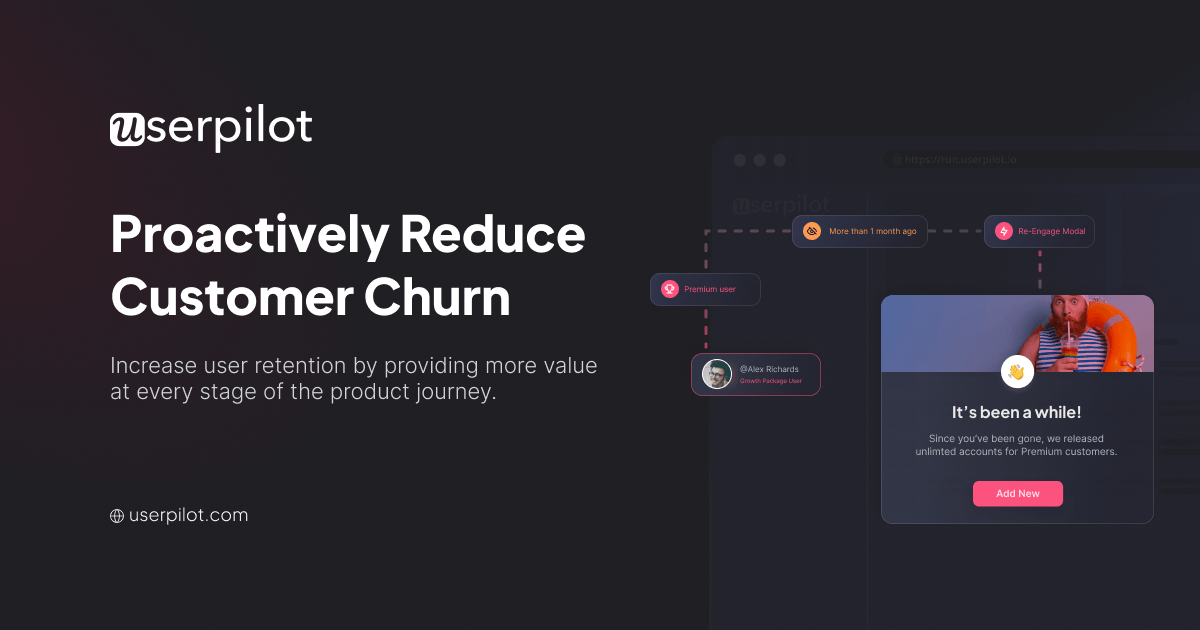
Userpilot helps teams intervene directly inside the user experience. Instead of sending a generic email that says, “Please come back, we miss you,” teams can trigger contextual guidance when users need it most. That is less desperate, more helpful, and much better for everyone’s dignity.
Key Userpilot Features for Customer Retention
1. Personalized User Onboarding
Onboarding is one of the most important stages of customer retention. A new user who understands the product quickly is more likely to become active, successful, and loyal. A confused user, on the other hand, may quietly disappear and later claim they “just didn’t see the value.” Translation: the product made them work too hard.
Userpilot allows teams to create onboarding flows such as welcome screens, interactive walkthroughs, checklists, tooltips, banners, and modals. These experiences can be personalized by user segment, role, plan, behavior, or lifecycle stage. For example, an admin user can receive setup guidance, while an individual contributor can see tips focused on daily workflow.
This kind of personalization is powerful because different users define value differently. A sales manager may care about reports. A support agent may care about speed. A founder may care about everything, preferably yesterday. Userpilot helps teams guide each audience toward the features that matter most to them.
2. Product Analytics
Retention depends on understanding what users actually do, not just what teams hope they do. Product analytics reveal patterns such as feature adoption, drop-off points, user paths, funnel conversion, and engagement trends.
Userpilot includes product analytics features that help teams monitor user behavior, track events, create funnels, and evaluate adoption. This allows product managers and growth teams to answer practical questions: Which onboarding step causes the most drop-off? Which feature is used by retained customers? Which segment is most likely to become inactive? Which workflow deserves a redesign before users start writing dramatic cancellation reasons?
Analytics are especially useful when combined with in-app engagement. The team can identify a problem, create an experiment or guide, and measure whether the change improves activation or retention.
3. Segmentation
Customer retention improves when communication feels relevant. Segmentation allows teams to group users by shared characteristics or behaviors. In Userpilot, segments can be created using attributes such as role, company size, plan type, account age, feature usage, survey responses, or specific product events.
For example, a SaaS company might create segments for users who completed onboarding, users who invited teammates, users who have not used a key feature, and users who gave a low NPS score. Each segment can receive different guidance or messaging.
This is far better than blasting every user with the same message. Nobody wants to receive a beginner tutorial after using the product for three years. That is like handing a professional chef a pamphlet titled “What Is a Spoon?”
4. In-App Messaging and Guidance
Email still has a place in retention, but in-app communication often works better for product education because it appears in context. When users are inside the product, they are already engaged. That is the ideal time to show a tooltip, announcement, checklist, or walkthrough.
Userpilot supports in-app experiences that help teams guide users toward important actions. A company might use a tooltip to explain a new feature, a modal to announce a major update, a checklist to encourage setup completion, or a slideout to promote an advanced workflow.
The goal is not to decorate the interface with pop-ups like a digital carnival. The goal is to deliver the right message to the right user at the right moment. Done well, in-app guidance feels like a helpful assistant. Done badly, it feels like a toaster trying to sell you life insurance.
5. Feedback Surveys and NPS
Retention is not only about behavior. It is also about sentiment. Users may be active but frustrated. Others may be quiet but satisfied. Feedback tools help teams understand how customers feel and why.
Userpilot offers in-app surveys, including NPS and other feedback formats. Teams can ask users why they did or did not complete an action, how satisfied they are with a feature, or what is missing from their experience. This feedback can be connected to user segments and product behavior, creating a richer view of customer health.
For example, if users who give low NPS scores also avoid a specific feature, the product team has a clue. Maybe the feature is hard to find. Maybe it is confusing. Maybe it was designed during a meeting where everyone had too much coffee and not enough customer context.
6. Self-Service Resource Centers
Modern customers like fast answers. Many prefer solving problems themselves before contacting support. A self-service resource center can improve retention by reducing friction, helping users continue their workflow, and lowering support volume.
Userpilot lets teams build in-app resource centers that can include help articles, videos, tutorials, checklists, and links to support resources. Because these resources live inside the product, users do not have to leave the application to find help.
This is especially useful for SaaS products with complex workflows. Instead of forcing users to search a knowledge base in another tab, teams can provide guidance exactly where confusion happens.
How Userpilot Helps Reduce Churn
Churn rarely happens out of nowhere. It usually follows a pattern: slow onboarding, weak activation, low engagement, repeated friction, poor perceived value, and finally cancellation. Customer retention software like Userpilot helps teams detect and address these issues earlier.
Improving Activation
Activation is the moment when a user experiences meaningful value for the first time. For a project management tool, that might be creating a first project and inviting teammates. For an analytics platform, it might be connecting data and building a first dashboard. For a customer support tool, it might be resolving the first ticket.
Userpilot can guide users toward these activation milestones using personalized onboarding flows and checklists. By making the path to value clearer, teams can reduce early drop-off and increase the likelihood that users become long-term customers.
Driving Feature Adoption
Many SaaS products suffer from feature invisibility. The team spends months building something useful, launches it proudly, and then watches users completely ignore it because they do not know it exists. Product managers smile through the pain. Quietly.
Userpilot helps promote feature adoption through targeted in-app announcements, tooltips, and contextual education. Instead of announcing every feature to every user, teams can promote relevant features to the users most likely to benefit from them.
Identifying Drop-Off Points
With product analytics, teams can see where users abandon key flows. If many users begin setup but fail to complete an integration, that step may need clearer instructions. If users open a report but never customize it, the interface may need better guidance. If users repeatedly visit help content after using a feature, the feature may be harder than expected.
Userpilot helps turn these patterns into action. Teams can add guidance, simplify steps, trigger surveys, or test different onboarding experiences.
Supporting Expansion Revenue
Retention is not only about preventing cancellation. It is also about helping successful customers grow. When users adopt more features, invite more teammates, and build deeper workflows, they are more likely to upgrade or expand.
Userpilot can support expansion by identifying engaged users, guiding them to advanced functionality, and presenting upgrade-related messaging when it is contextually appropriate. The key is timing. A well-timed upgrade prompt can feel useful. A poorly timed one can feel like being asked to buy dessert while still reading the menu.
Userpilot vs. Other Customer Retention Tools
The customer retention software market includes several categories. Userpilot overlaps with some of them but has a clear product-led focus.
Userpilot vs. Customer Success Platforms
Customer success platforms such as Gainsight, ChurnZero, Totango, and similar tools often focus on account health, renewal management, playbooks, customer success workflows, and executive reporting. These platforms are valuable for customer success teams managing accounts and renewals.
Userpilot is different because it focuses more deeply on in-product behavior and engagement. It helps teams improve retention by influencing what users experience inside the application. For product-led growth companies, this can be especially valuable because many customer success moments happen without a human meeting.
Userpilot vs. Product Analytics Tools
Product analytics platforms like Amplitude and Mixpanel are strong for analyzing user behavior, cohorts, funnels, and retention patterns. They are powerful for data exploration and insight generation.
Userpilot includes product analytics, but its advantage is the ability to connect insights directly to in-app experiences. A team can identify a segment, create guidance, launch a survey, or promote a feature without building everything from scratch.
Userpilot vs. Support Platforms
Support platforms like Zendesk, Intercom, and HubSpot Service Hub help teams manage customer conversations, tickets, knowledge bases, chat, and service workflows. These tools are important for retention because support quality influences loyalty.
Userpilot is not mainly a ticketing platform. It is better suited for proactive product education, onboarding, feedback, and adoption. Many companies may use Userpilot alongside support software to create a more complete retention system.
Best Use Cases for Userpilot
SaaS Onboarding
Userpilot is a strong fit for SaaS companies that need to onboard users without relying on one-on-one training for every account. Interactive checklists, welcome flows, and contextual guidance can help new customers reach value faster.
Feature Launches
When launching new features, teams can use Userpilot to announce updates, educate relevant segments, and track adoption. This helps avoid the classic product launch tragedy: the team celebrates, users do not notice, and the feature quietly joins the museum of forgotten buttons.
Product-Led Growth
Product-led companies depend on the product itself to drive acquisition, activation, retention, and expansion. Userpilot supports this model by helping teams personalize the product experience and guide users without manual intervention.
Customer Feedback Programs
Teams can use Userpilot to collect feedback at specific points in the user journey. This is more useful than sending a random survey three weeks later when the user barely remembers what happened and mostly wants lunch.
Reducing Support Burden
Self-service resources and contextual help can reduce repetitive support requests. When users can answer common questions inside the product, support teams can focus on more complex issues.
Customer Retention Metrics to Track With Userpilot
Customer retention software works best when teams measure the right outcomes. Vanity metrics can make dashboards look impressive, but retention depends on behavior that connects to long-term value.
Activation Rate
Activation rate measures how many new users reach a meaningful value milestone. This might include completing setup, importing data, inviting teammates, or using a core feature for the first time.
Feature Adoption Rate
Feature adoption rate shows how many users discover and use important features. This is useful for understanding whether customers are getting full value from the product.
Time to Value
Time to value measures how long it takes a user to experience the first meaningful benefit. Shorter time to value usually supports stronger retention.
Customer Churn Rate
Churn rate measures the percentage of customers who leave during a given period. It is one of the most important retention metrics, but it should be analyzed alongside behavior and feedback to understand why customers leave.
Net Revenue Retention
Net revenue retention measures retained revenue after churn, downgrades, upgrades, and expansion. For SaaS businesses, it is a powerful indicator of long-term growth quality.
NPS and Customer Sentiment
Net Promoter Score and other satisfaction metrics help teams understand customer sentiment. Combined with usage data, they can reveal whether users are both active and happy.
How to Build a Retention Strategy With Userpilot
Step 1: Define the Core Value Moment
Before creating onboarding flows or surveys, define what success looks like. What action proves that a user has experienced real value? This could be creating a first campaign, publishing a report, connecting an integration, or inviting a team.
Step 2: Map the User Journey
Identify the key stages from signup to activation to habitual use. Look for friction points, confusing screens, unnecessary steps, and moments where users may need extra guidance.
Step 3: Segment Users
Create segments based on user role, plan, behavior, and lifecycle stage. New users, power users, inactive users, and admins should not all receive the same experience.
Step 4: Create Contextual Guidance
Use checklists, tooltips, walkthroughs, and modals to help users complete important actions. Keep guidance short, practical, and relevant. The goal is to help, not to cover the product in digital sticky notes.
Step 5: Collect Feedback at the Right Moments
Trigger surveys after important actions, failed workflows, or key milestones. Ask specific questions. “How was your experience setting up the integration?” is more useful than “Do you like us?” which sounds slightly needy.
Step 6: Measure and Iterate
Retention strategy is never finished. Track whether onboarding flows improve activation, whether feature announcements increase adoption, and whether feedback reveals recurring issues. Then refine the experience over time.
Practical Example: Using Userpilot to Improve SaaS Retention
Imagine a B2B SaaS company that offers reporting software. The team notices that many trial users sign up but never create their first dashboard. Without a dashboard, users never see the value. Without value, they do not convert. Without conversions, the growth team starts looking at the coffee machine with concern.
Using Userpilot, the company could create a new onboarding checklist with three steps: connect a data source, choose a dashboard template, and invite one teammate. It could segment users by role and show different templates to marketing, sales, and operations teams. It could add tooltips to explain confusing setup fields. It could trigger a survey when users abandon the setup process. Finally, it could track whether the new experience improves dashboard creation and trial conversion.
This is the core advantage of customer retention software: it turns vague frustration into a structured improvement loop.
Common Mistakes to Avoid
Overloading Users With Pop-Ups
In-app guidance is useful only when it respects the user’s attention. Too many modals, banners, and tooltips can make the product feel chaotic. Use targeting and behavior triggers carefully.
Measuring Everything Except Value
Tracking clicks is easy. Understanding value is harder. Focus on metrics that connect to retention, such as activation, repeat usage, feature adoption, and expansion signals.
Ignoring Qualitative Feedback
Analytics show what users did. Feedback helps explain why. Strong retention programs combine both.
Treating Onboarding as a One-Time Event
Onboarding does not end after the first login. Users need ongoing education as they discover advanced features, change roles, or expand use cases.
Who Should Consider Userpilot?
Userpilot is a strong option for SaaS companies, product-led growth teams, product managers, customer success teams, growth marketers, and user experience teams that want to improve retention through better in-app experiences.
It is especially useful for companies that need to:
- Reduce new user drop-off
- Improve activation and time to value
- Increase adoption of important features
- Collect user feedback inside the product
- Build self-service education
- Personalize product experiences by segment
- Experiment without waiting on engineering resources
Companies with highly complex enterprise customer success needs may still need a dedicated customer success platform. Companies with heavy support operations may still need a help desk. But for teams that want to improve retention through product experience, Userpilot belongs on the shortlist.
Experience Notes: What Working With Customer Retention Software Feels Like in Real Life
In real-world teams, customer retention software often starts as a reaction to pain. Someone notices that trial users are not converting. Someone else notices that paid customers are not using a major feature. A customer success manager says, “We keep explaining the same thing on every call.” A product manager opens the analytics dashboard, squints, and wonders whether the funnel chart is judging them personally.
The first lesson is that retention software is not magic. It does not fix a weak product, unclear positioning, or a confusing value proposition by itself. What it does is reveal where the experience breaks and provide tools to improve it. That is extremely valuable, but only if the team is willing to act on the data.
One common experience with tools like Userpilot is the discovery that users behave differently than the team expected. A feature that seemed obvious internally may be invisible to customers. A setup step that looked simple in a planning meeting may confuse new users. A “minor” field in a form may be the exact point where people abandon onboarding. Product teams often learn that the customer journey is less like a clean highway and more like a parking lot with mysterious cones.
Another practical lesson is that small improvements can produce meaningful retention gains. A shorter onboarding checklist, a better tooltip, a clearer empty state, or a targeted reminder can help users reach value faster. The change does not always need to be dramatic. Sometimes the best retention fix is not a giant redesign; it is one well-placed explanation at the exact moment users need it.
Teams also learn the importance of segmentation. Beginners need different help than power users. Admins need different guidance than team members. Trial users need different nudges than long-term customers. When retention software allows segmentation, the product can feel more personal without requiring the team to manually guide every user. That is the sweet spot: scalable but not robotic.
Feedback collection is another area where experience matters. Asking users for feedback inside the product can be incredibly useful, but timing is everything. A survey shown after a meaningful action can produce specific, actionable insight. A random survey shown at the wrong moment can feel like a clipboard being shoved into someone’s face while they are trying to work. Good retention teams test survey timing, keep questions short, and close the loop when they learn something important.
The best teams treat customer retention software as part of a continuous improvement system. They review analytics, identify friction, launch in-app guidance, collect feedback, and measure results. Then they repeat. Over time, this creates a product that teaches better, supports users faster, and guides customers toward deeper value.
For Userpilot specifically, the experience is most valuable when teams connect strategy with execution. It is not enough to build a beautiful onboarding flow. The flow should map to activation goals. It is not enough to launch a feature announcement. The announcement should target users who can actually benefit from the feature. It is not enough to collect NPS scores. The team should connect those scores to behavior and follow up on patterns.
When used thoughtfully, Userpilot can help a company move from reactive retention to proactive retention. Instead of waiting for churn, teams can detect friction earlier. Instead of relying only on support tickets, they can guide users inside the product. Instead of treating all customers the same, they can personalize experiences based on behavior and need.
That is the real promise of customer retention software: fewer surprises, better customer journeys, and more users reaching the value they signed up for in the first place.
Conclusion
Customer retention software is no longer a luxury for SaaS companies. It is a practical requirement for teams that want to reduce churn, improve activation, increase feature adoption, and build long-term customer relationships. In a market where customers have endless alternatives and limited patience, the product experience must do more than function. It must guide, educate, listen, and adapt.
Userpilot is a strong customer retention software choice for product-led companies that want to improve retention through personalized in-app experiences, product analytics, onboarding flows, surveys, segmentation, and self-service resources. It helps teams understand user behavior and turn those insights into action without waiting for constant engineering support.
The best retention strategy is not built on one dramatic campaign. It is built on many thoughtful improvements: faster onboarding, clearer guidance, smarter segmentation, better feedback loops, and continuous measurement. Userpilot gives teams the tools to make those improvements directly inside the product, where customer success often begins.