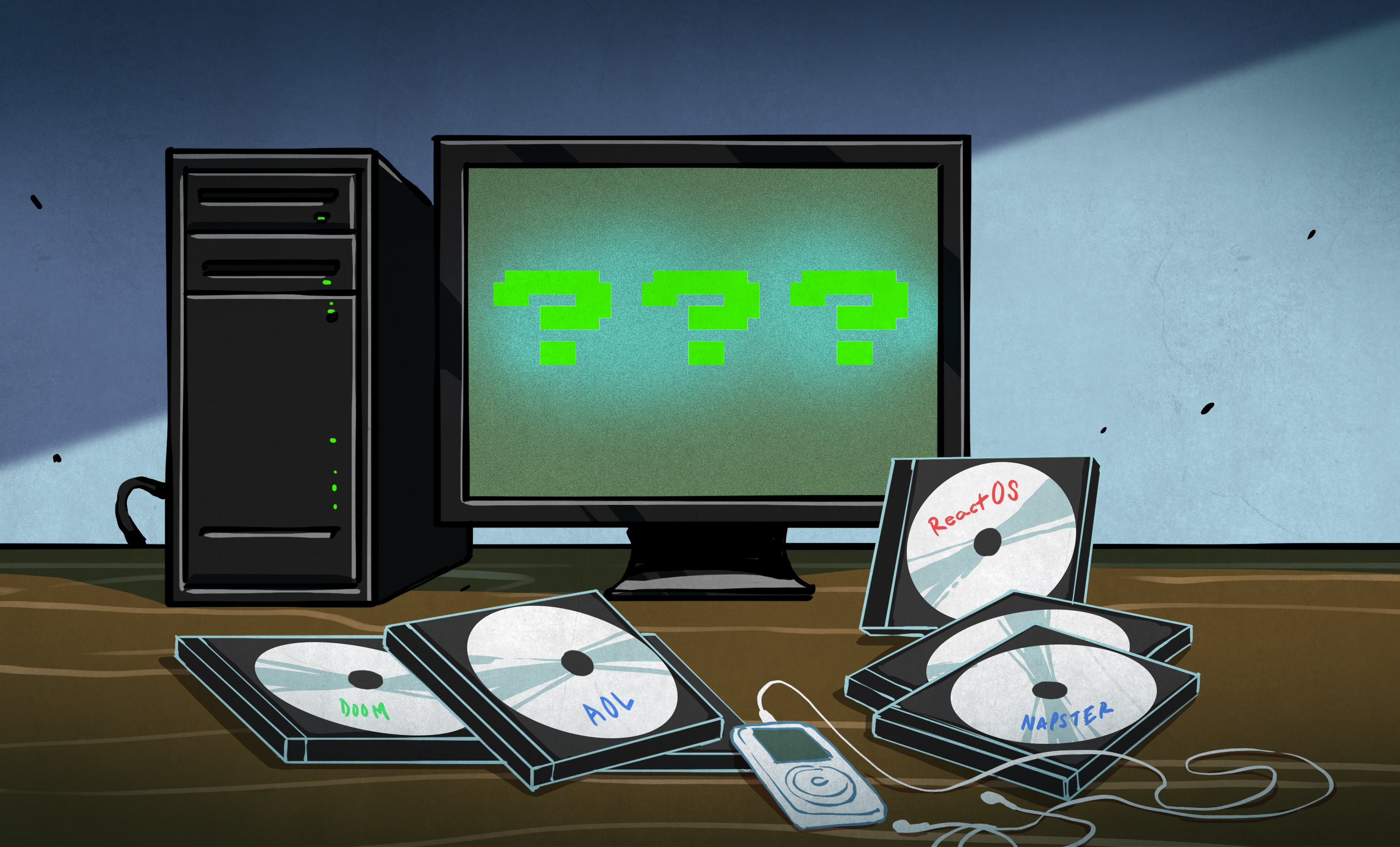
There are operating systems that change the world, and then there are operating systems that stubbornly refuse to die, quietly haunting the edges of computing history like a beige tower PC that still boots on the first try. ReactOS belongs to the second category, and that is exactly why it is so fascinating.
At a glance, ReactOS looks like a relic from the Windows 2000 and Windows XP era. The taskbar is familiar, the menus feel charmingly old-school, and the whole desktop seems like it wandered out of a time capsule carrying a CD wallet and strong opinions about dial-up modems. But ReactOS is not just another retro skin or nostalgia project. It is a serious, long-running attempt to build an open-source operating system that is compatible with Windows software and drivers.
That mission is huge. Borderline absurd, honestly. Windows compatibility is one of the hardest targets in software, because you are not just making an operating system that looks similar. You are trying to recreate decades of expectations, behaviors, APIs, quirks, and hardware relationships that millions of applications assume will “just work.” ReactOS has spent years trying to do exactly that, which makes it one of the most ambitious oddballs in computing.
So what happens when you dip a toe into this millennium-era open-source dream today? You discover a project that is deeply impressive, occasionally clunky, genuinely useful in niche cases, and still very much unfinished. In other words: ReactOS is not your next daily driver, but it is one of the most interesting pieces of software history still being actively written.
What ReactOS Actually Is
Let’s clear up the biggest misconception first. ReactOS is not Linux wearing a fake mustache and hoping nobody notices. It is not a Linux distribution, and it is not a Windows theme pasted on top of another operating system. ReactOS is its own open-source operating system, built around Windows NT-style architecture with the goal of running existing Windows applications and drivers.
That distinction matters. A lot. The project has long positioned itself as a Windows-compatible OS written from scratch rather than a Unix-like system trying to imitate Windows from the outside. In practical terms, the dream has always been simple to explain and brutally difficult to achieve: take software built for Windows and make it run on a free, open-source platform that behaves enough like Windows to feel native.
ReactOS also has an interesting relationship with WINE, the compatibility project that helps Windows applications run on Unix-like systems. Instead of treating WINE like a rival, ReactOS has historically cooperated with it and incorporated user-mode components that improve application support. That means ReactOS is both its own thing and part of a broader ecosystem of people trying to make Windows software less dependent on Microsoft’s own operating systems. It is the kind of technical collaboration that makes open-source people grin like kids in a candy store.
Why This Dream Felt So Big In The First Place
To understand why ReactOS has such a mythic reputation, you have to go back to the late 1990s and early 2000s. This was an era when Microsoft’s influence over desktop computing felt almost absolute. If you wanted Windows compatibility, your realistic answer was “use Windows.” The idea that a volunteer-led open-source project could re-create a Windows-compatible operating system from scratch sounded equal parts noble, rebellious, and slightly bananas.
That is part of ReactOS’s enduring appeal. It carries the energy of an internet era when people believed software should be understandable, modifiable, and free in the broadest sense. Not “free” as in coupon-bin cheap. Free as in inspectable, hackable, forkable, and not locked inside a giant corporate black box. ReactOS did not just promise a different interface or a lighter desktop. It promised the possibility of a Windows-like world that did not belong to Windows.
Even now, that dream still lands. Maybe not with the same explosive cultural force it had during the millennium era, but with a quieter relevance. In a world of subscriptions, platform lock-in, telemetry debates, and increasingly rigid hardware requirements, the ReactOS idea feels weirdly fresh again. The project asks a deliciously stubborn question: what if the familiar Windows software universe could exist without the usual baggage?
Why ReactOS Still Looks Like The Year 2000
If you try ReactOS and immediately think, “Wow, this looks like my middle school computer lab,” congratulations: your eyes work. ReactOS’s visual identity is tied to its technical goals. The project has long focused on compatibility with the Windows Server 2003 and Windows XP generation of software, which naturally pulls the interface toward that era’s design language.
This is not just a style choice. It is a compatibility choice. A lot of the old-fashioned look comes from the fact that ReactOS is aiming at an older baseline where behavior matters more than glossy effects. So while modern operating systems chase blur, transparency, rounded corners, and whatever new shade of glassy minimalism is currently fashionable, ReactOS keeps showing up dressed like it has a meeting with a CRT monitor.
Oddly enough, that retro feel is part of the fun. ReactOS does not merely resemble old Windows. It feels shaped by the same assumptions: menus are straightforward, system tools are recognizable, and the experience is refreshingly free of modern clutter. No pop-up trying to sell you cloud storage. No AI assistant appearing like an overeager intern. No cartoonishly large settings maze where audio options are somehow in three different places. ReactOS can feel primitive, yes, but it can also feel direct in a way many modern systems have forgotten.
What ReactOS Can Do Right Now
The honest answer is: some real things, some quirky things, and not enough things to make cautious people sleep well at night.
ReactOS can boot, install, present a familiar desktop, and run a selection of Windows applications, especially older ones. It also includes RAPPS, its Application Manager, which gives the platform a strangely delightful package-manager vibe. That alone makes ReactOS feel different from classic Windows, because you can browse and install software through a centralized tool rather than reenacting a scavenger hunt across the internet.
For tinkerers, retro enthusiasts, developers, and compatibility nerds, that is already enough to make ReactOS worth a spin in a virtual machine. If your interests include legacy software, odd drivers, historical computing, or just the thrill of seeing an improbable project somehow function, ReactOS scratches an itch few systems can reach.
It is also becoming more interesting as the project continues to improve hardware handling and lower-level system behavior. Recent progress has touched Plug and Play, USB booting, shell behavior, memory management, audio, registry fixes, fullscreen application support, and other under-the-hood systems that separate “cute demo” from “slowly maturing operating system.” Nobody should confuse this with finished polish, but the motion is real.
Why ReactOS Still Is Not A Real Windows Replacement
Now for the bucket of cold water: ReactOS remains an alpha operating system. That word matters. Alpha does not mean “a little rough around the edges.” It means unfinished, unstable, and not something you should trust with mission-critical work, irreplaceable files, or the digital equivalent of your house keys.
That limitation has followed ReactOS for years, and it still defines the experience. Hardware support can be uneven. Application behavior can be hit or miss. Some things work better in a virtual machine than on real hardware. Other things look promising right up until they collapse in a puff of driver drama. This is not a betrayal of the project’s promise so much as the natural cost of taking on a job that even giant commercial teams would find intimidating.
Put more bluntly, ReactOS is not the answer for someone who wants a painless, modern, install-it-and-forget-it Windows replacement. If you need reliable daily productivity, recent app support, broad hardware compatibility, and minimal troubleshooting, you are shopping in the wrong aisle. ReactOS is the aisle where people happily read changelogs for fun and say things like “I wonder if this old network driver still works.”
The Most Interesting Part: ReactOS Is Still Moving
The easiest lazy take on ReactOS is that it is a historical curiosity stuck in eternal development limbo. The more accurate take is more interesting: ReactOS is one of those projects that advances in uneven, unglamorous, but very real steps. It does not move like a consumer tech product with flashy keynotes and giant banners. It moves like a deeply technical community trying to wrestle a mammoth problem to the ground one subsystem at a time.
The release of ReactOS 0.4.15 in 2025 was a good reminder of that. It was the first stable release in more than three years and packed in major work on Plug and Play, audio, memory management, registry healing, shell improvements, and built-in tools. The team described it as the largest release to date, which says a lot for a project that has been grinding away for decades.
Even more telling are the signs of life beyond the release itself. There has been visible work around NT6-era compatibility, which matters if ReactOS wants to edge closer to software built for Windows versions newer than XP and Server 2003. There has also been exploration of WDDM graphics support, which is a very big deal for future relevance because modern Windows graphics stacks live in that world. Add in USB stability improvements, better fullscreen app behavior, and even niche wins like support for ancient 3dfx Voodoo5 hardware, and you start to see ReactOS less as a fossil and more as a weird, stubborn machine still trying to evolve.
That combination is wonderfully on-brand. Of course ReactOS would be working on both old-school retro hardware and future-facing graphics plumbing at the same time. It is a project that lives in multiple time periods at once.
Why ReactOS Still Matters In 2026
ReactOS matters for practical reasons, historical reasons, and philosophical reasons.
Practically, it offers a path toward preserving access to legacy Windows software and behaviors in a world where old platforms disappear, official support vanishes, and hardware marches forward with the grace of a bulldozer. There are always niches where older applications, classic workflows, or lightweight environments still matter. ReactOS does not solve every preservation problem, but it participates in a larger effort to keep computing history usable instead of merely memorable.
Historically, ReactOS is a living artifact of open-source ambition. It represents the kind of project people start only when they are fueled by equal parts idealism, caffeine, and reckless optimism. The fact that it still exists after all these years says something powerful about long-term community persistence. Not every worthwhile project needs to dominate the market. Some projects earn their value simply by proving that a difficult thing can continue to be attempted.
Philosophically, ReactOS matters because it challenges the assumption that platform compatibility must remain proprietary forever. It says the shape of a familiar computing environment can, at least in principle, be studied, reimplemented, and shared. That is an important idea, even when the implementation is incomplete. In a computing culture that often treats platforms like sealed kingdoms, ReactOS remains gloriously disrespectful of the walls.
Who Should Actually Try ReactOS
If you are a retro PC enthusiast, ReactOS is catnip. If you enjoy virtual machines, old utilities, historic operating system behavior, or seeing how compatibility work happens up close, it is well worth an afternoon. If you are a developer who likes operating systems and wants to understand the difference between “looks like Windows” and “behaves like Windows,” ReactOS is a fascinating case study.
It can also appeal to people who are simply tired of modern operating systems feeling bloated, noisy, or overly managed. ReactOS will not replace a polished contemporary desktop, but it can remind you that an operating system does not need to shout at you every five minutes. Sometimes it is refreshing to sit in front of software that is not trying to be a lifestyle brand.
That said, the safest way to try ReactOS is still in a virtual machine. Think of it as a museum exhibit you are allowed to touch, not a foundation you build your home office on. Curiosity is encouraged. Blind trust is not.
Conclusion
ReactOS is one of the strangest success stories in computing, because its success cannot be measured only by mainstream adoption or market share. It succeeds every time it boots on another machine, runs another program, fixes another subsystem, or inspires another person to ask, “Wait, they are still building this?”
And yes, they are still building it. That is the magic. ReactOS remains a millennium-era open-source dream, but not in the sense of a fantasy that never touched reality. It has touched reality plenty. It just touches it in fits and starts, with all the awkwardness, determination, and technical grit you would expect from a project trying to recreate one of the most entrenched software ecosystems on earth.
Dipping a toe into ReactOS today feels like stepping into an alternate timeline where the desktop wars took a stranger turn. It is part experiment, part preservation effort, part engineering marathon, and part love letter to the idea that users should not be locked out of familiar computing environments forever. ReactOS may not be finished. It may never be easy. But it is still one of the most compelling “what if?” stories in the history of open-source software.
A 500-Word Detour: What A First-Time ReactOS Experience Feels Like
Imagine firing up ReactOS for the first time in a virtual machine. The installation begins, and before you have clicked very far, you get that unmistakable sense that you have opened a door to another era. Not a fake, theme-pack version of another era, either. The real thing. Menus look familiar in a way that modern operating systems rarely do. Windows are plain, practical, and slightly stern, like they expect you to finish your spreadsheet before having fun.
At first, the whole thing feels charming. The desktop appears, the taskbar settles in, and your brain does that strange little double take where it recognizes the environment before it fully remembers why. You are not just looking at a Windows-like interface. You are looking at a version of computing that still believed the Start menu could solve most of life’s problems.
Then comes the next phase: cautious experimentation. You click through the built-in tools. You open RAPPS and grin because, somehow, this old-school Windows-style environment has an application manager that feels oddly closer to Linux package culture than to Microsoft’s historical habits. You install a few programs. Some launch. Some wobble. Some act like they were dragged out of a digital basement and would really rather be left alone.
That is the emotional rhythm of ReactOS in miniature. Delight, curiosity, suspicion, surprise. You keep expecting the illusion to break, and sometimes it does. A driver issue shows up. Something freezes. A feature works, but in a slightly crooked way. You start to understand why people describe ReactOS with equal parts admiration and warning label.
Still, there is something deeply lovable about the whole exercise. ReactOS does not feel cynical. It does not feel like a nostalgia cash-in or a clever stunt. It feels like an honest attempt to build something difficult because the idea itself is worth defending. That gives even its rough edges a weird kind of dignity. When a program opens successfully, it is not just a convenience. It feels like a tiny engineering victory parade.
The strongest impression ReactOS leaves is not that it is polished. It is not. It is not that it is ready to replace modern Windows. Also no. The strongest impression is that it is alive. You can feel the decades of effort in it. You can see where old ambitions still shape new code. And you can sense the project’s stubborn refusal to surrender its original premise, even after years of slow progress and shifting computing trends.
By the end of a first session, you probably will not be planning a full migration. But you may close the virtual machine with more affection than expected. ReactOS has a way of making you root for it. It is the underdog with a wrench in one hand and a compatibility chart in the other, still trying to build an open-source answer to a question most people stopped asking years ago.
That is what makes dipping a toe into ReactOS memorable. It is not just software. It is unfinished ambition you can boot.