Buying a new TV used to be simple. You walked into a store, stared at a wall of glowing rectangles, nodded wisely at a salesperson, and picked the one that made football look like it was happening in your living room. Now, TV shopping feels like decoding a spaceship manual: OLED, QLED, Mini-LED, HDR10+, Dolby Vision, HDMI 2.1, VRR, 120Hz, AI upscaling, and the shiny crown jewel of marketing drama: 8K TV.
So, should you buy an 8K TV? The honest answer is: maybe, but probably not for the reason you think. An 8K TV can look spectacular, especially in giant screen sizes, but resolution alone is not magic. A great 4K TV with excellent contrast, brightness, motion handling, and HDR can often deliver a more satisfying picture than an 8K model that mostly spends its life stretching 4K, HD, and cable content to fit all those extra pixels.
This guide breaks down what 8K actually means, when it matters, when it does not, and what you should check before spending flagship-TV money. Because nobody wants to buy a futuristic screen only to discover their favorite show still arrives looking like it was filmed through a potato.
What Is an 8K TV?
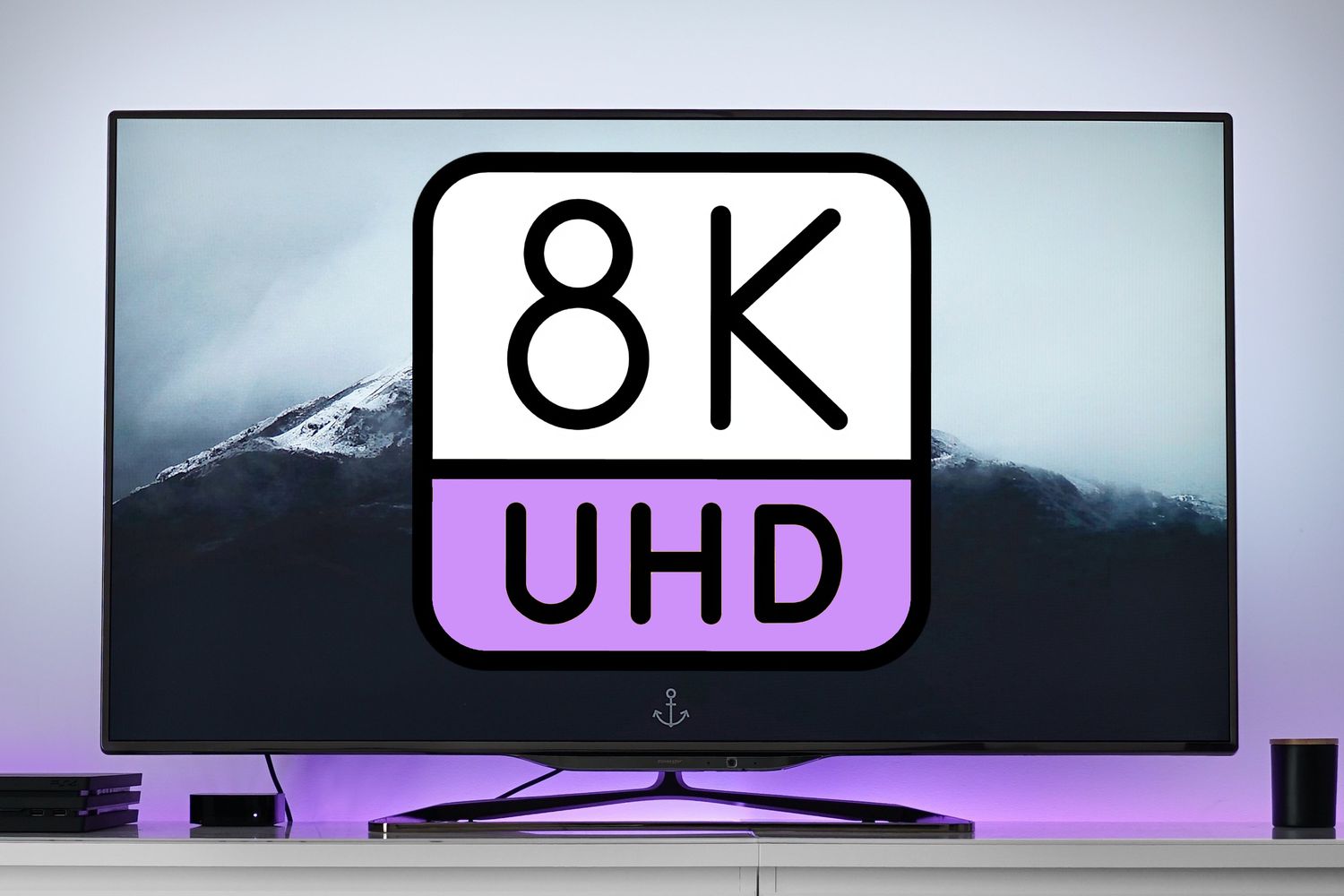
An 8K TV has a resolution of 7680 x 4320 pixels, which equals more than 33 million pixels. That is four times the pixel count of a 4K TV and sixteen times the pixel count of Full HD. On paper, that sounds like a landslide victory for 8K. More pixels should mean sharper images, smoother edges, and more detail, right?
Yesbut only when the screen is large enough, the content is detailed enough, and you sit close enough to actually notice. Your eyes are impressive, but they are not laboratory microscopes with snack cravings. At normal living-room distances, many viewers struggle to see a meaningful difference between 4K and 8K unless the screen is very large, usually 75 inches, 85 inches, or bigger.
8K vs. 4K: The Real Difference
The biggest difference between 4K and 8K is pixel density. On a huge screen, 8K can make fine textures look smoother and more natural. Think city skylines, nature documentaries, sports fields, computer graphics, and close-up shots where every thread, leaf, or wrinkle has room to breathe.
But the difference is not like jumping from standard definition to HD, or even from HD to 4K. Those upgrades were obvious because the content ecosystem caught up quickly and screen sizes were growing at the same time. With 8K, the improvement is more subtle. It is less “wow, this changed everything” and more “I think I can see more texture in that mountain if I lean forward and stop blinking.”
Where 8K Can Look Better
8K makes the most sense on very large TVs. If you are buying an 85-inch or 98-inch screen and sitting relatively close, the extra resolution may help the image look smoother and less pixelated. This is especially true for high-quality 4K Blu-ray, premium 4K streaming, high-end gaming PCs, and demo footage shot in 8K.
Where 4K Still Wins
For most homes, a premium 4K OLED or Mini-LED TV is the smarter buy. Why? Because picture quality is not just about resolution. Contrast, black levels, HDR brightness, color accuracy, local dimming, motion processing, reflection handling, and viewing angles all matter. A top-tier 4K TV can make movies, sports, games, and streaming content look incredible without charging you extra for pixels you may barely notice.
The Biggest Problem: Native 8K Content Is Still Rare
This is the awkward part. An 8K TV is built for 8K content, but there is still not much native 8K content to watch. YouTube supports 8K uploads and playback on certain devices, and you can find beautiful demo clips, travel videos, and nature footage. But mainstream streaming services, cable, satellite, and most broadcast TV are not delivering regular native 8K movies and shows.
Netflix, Disney+, Max, Hulu, Prime Video, Apple TV, and similar services have invested heavily in 4K HDR, not 8K. Even 4K live broadcasts are still limited compared with standard HD and 1080p. Sports fans hoping every game will suddenly appear in 8K may need patience, optimism, and perhaps a stress-relief snack.
That means most of what you watch on an 8K TV will be upscaled. Upscaling is when the TV’s processor takes lower-resolution content and intelligently expands it to fit the 8K panel. Modern AI upscaling can be impressive, especially on flagship models, but it cannot invent perfect real detail from nowhere. It can sharpen, smooth, reduce noise, and guess intelligently. It cannot turn a blurry old sitcom into a freshly shot 8K masterpiece. If it could, Hollywood would be nervous.
Upscaling: Helpful, But Not a Miracle Worker
When evaluating whether to buy an 8K TV, pay close attention to its processor. Since most content is not native 8K, the TV’s upscaling engine becomes extremely important. A strong processor can make 4K content look crisp and polished. It can also clean up HD cable channels, streaming compression, and older movies.
However, upscaling quality varies by brand and model. Some TVs sharpen too aggressively, making faces look waxy or textures look artificial. Others smooth out noise so much that the picture loses film grain and natural detail. The best approach is to test the TV with the content you actually watch. Do not judge only by store demo videos. Those demos are designed to make every TV look like it was blessed by a panel of lighting wizards.
Screen Size and Viewing Distance Matter More Than the Label
If you are considering an 8K TV, start with your room. Measure your seating distance. A 65-inch 8K TV viewed from across a large living room will not reveal much extra detail compared with a strong 4K model. A 98-inch 8K TV viewed from a closer theater-style setup is a very different story.
For mixed use, many TV size guides recommend a field of view around 30 to 40 degrees. In plain English, the screen should feel immersive without forcing your head to swing left and right like you are watching tennis from the front row. If your sofa sits 10 to 12 feet away, you may benefit more from buying a larger premium 4K TV than from choosing a smaller 8K model.
Practical Example
Imagine two choices: a 75-inch 8K TV and an 83-inch premium 4K OLED for a similar price. If you mostly watch movies at night, the 4K OLED may deliver deeper blacks, stronger contrast, and better cinematic impact. If you are building a bright-room theater with a very large Mini-LED screen and you sit close enough, the 8K option may feel more future-ready. Context is everything.
Gaming on an 8K TV: Exciting, But Complicated
Gaming is one of the few areas where 8K sounds especially tempting. Modern consoles and gaming PCs can output stunning visuals, and some high-end graphics cards can technically drive very high resolutions. But native 8K gaming is still demanding, expensive, and often impractical for mainstream players.
For PlayStation 5, Xbox Series X, and most gaming setups, 4K at 120Hz with variable refresh rate is usually more useful than 8K resolution. Smooth motion, low input lag, fast response time, and HDR performance will improve gameplay more than extra pixels that may force lower frame rates.
If you are a PC gamer with a top-tier graphics card, an 8K TV can be fun as an experimental luxury display. Just make sure the TV has full-bandwidth HDMI 2.1 ports, supports the resolutions and refresh rates you need, and handles chroma properly if you plan to use it as a giant monitor. Also make sure your desk, wall, and neck are emotionally prepared for an 85-inch “monitor.”
Check the HDMI Ports Before You Buy
Do not assume every port on a premium TV supports every premium feature. Look for HDMI 2.1 support, especially if you care about gaming, 8K video input, eARC audio, variable refresh rate, and 4K at 120Hz. Some TVs have four high-bandwidth ports, while others only offer two. That matters if you use a gaming console, soundbar, AV receiver, streaming box, and PC.
You should also use certified Ultra High Speed HDMI cables for demanding signals. A cable labeled “8K” is not automatically a guarantee of quality. Certification and real bandwidth support matter more than the marketing printed on the package. Cable packaging can be dramatic. It would probably call a toaster “cinematic breakfast technology” if given the chance.
HDR, Brightness, and Contrast Can Matter More Than 8K
High dynamic range, or HDR, often has a bigger visible impact than resolution. A TV with great HDR can show brighter highlights, deeper shadows, richer color, and more lifelike contrast. Fireworks sparkle. Sunsets glow. Dark scenes stop looking like a guessing game called “Is That a Villain or a Coat Rack?”
When comparing an 8K TV and a 4K TV, do not focus only on the number of pixels. Compare peak brightness, black levels, local dimming performance, color volume, reflection handling, and supported HDR formats. A high-end 4K OLED may beat an 8K LCD in contrast and black levels. A flagship 8K Mini-LED may beat many 4K TVs in brightness and large-screen impact. The best TV is the one that performs best with your content, room lighting, and budget.
Price: The Premium Is Still Real
8K TVs usually cost more than similarly sized 4K TVs. Prices have come down since the early days, but 8K remains a premium category. You are not just paying for resolution; you are often paying for the manufacturer’s best processor, design, speaker system, backlight technology, and smart features. That can be good if you want a flagship TV. It can be wasteful if you only wanted “more K.”
Before buying, compare the 8K model with top 4K TVs at the same price. You may discover that the 4K option gives you a larger screen, better OLED contrast, better gaming features, or enough money left over for a soundbar. And yes, a great sound system can improve movie night more than a resolution upgrade. Dinosaurs sound better when they stomp with authority.
Energy Use and Heat
8K TVs can require more processing power and brighter backlighting, especially in large sizes. Energy use varies by model, picture mode, brightness setting, and panel technology, but it is worth checking the energy label and real-world power consumption. If you watch TV for many hours a day, a larger, brighter 8K set may cost more to run than a comparable 4K TV.
This should not automatically scare you away, but it belongs in the decision. A TV is not just a purchase; it is an appliance you may use daily for years. The best deal is not always the lowest sale price. It is the best long-term match for how you actually live.
Who Should Buy an 8K TV?
An 8K TV can make sense if you are buying a very large screen, want a flagship model, sit close enough to benefit from extra pixel density, and understand that most content will be upscaled. It is also reasonable if you love cutting-edge tech and enjoy owning premium hardware before the mainstream catches up.
Buy an 8K TV if you:
- Want an 85-inch, 98-inch, or larger screen.
- Sit close enough to notice extra detail.
- Watch lots of high-quality 4K content.
- Care about flagship processing and upscaling.
- Use a powerful gaming PC or advanced media setup.
- Have the budget and understand the content limitations.
Who Should Skip 8K?
Most shoppers should skip 8K for now. If you are buying a 55-inch, 65-inch, or even many 75-inch TVs, a premium 4K model will usually be the better value. If you mostly watch cable, sports, YouTube, Netflix, Disney+, or regular streaming apps, you are living in a 4K-and-HD world. Your 8K TV will spend most of its time upscaling.
Skip 8K if you:
- Want the best value for your money.
- Mostly watch streaming, cable, or live sports.
- Are buying a screen under 75 inches.
- Sit far from the TV.
- Care more about OLED contrast or HDR than raw resolution.
- Expect lots of native 8K movies and shows right now.
Better Alternatives to Consider
If you are tempted by 8K, also compare these options:
Premium 4K OLED
Great for movies, dark rooms, wide viewing angles, and deep black levels. OLED is often the favorite for cinematic picture quality, especially if you watch at night.
Premium 4K Mini-LED
Excellent for bright rooms, sports, and large screens. Mini-LED TVs can deliver high brightness and strong HDR impact, often at lower prices than 8K flagships.
A Larger 4K TV
In many rooms, screen size creates more wow factor than resolution. A bigger 4K screen may feel more immersive than a smaller 8K screen.
A Better Audio Setup
A soundbar or surround system can transform movies and games. Thin TVs rarely deliver theater-level audio by themselves, no matter how many pixels they have.
Buying Checklist Before Choosing an 8K TV
Before you buy, ask these questions:
- Is the screen at least 75 inches, preferably 85 inches or larger?
- Will I sit close enough to benefit from 8K detail?
- Does the TV have excellent upscaling?
- Does it support HDMI 2.1 features I need?
- Is HDR performance genuinely strong?
- How does it compare with premium 4K TVs at the same price?
- Am I buying it for real benefits, or just because the number is bigger?
500-Word Experience Section: Living With the 8K TV Decision
Here is the practical experience most shoppers eventually discover: the TV that feels best in daily life is not always the one with the most impressive spec sheet. An 8K TV can look jaw-dropping in a showroom. The demo loop shows glowing coral reefs, dramatic city lights, slow-motion animals, and fruit so detailed you briefly wonder if you should apologize to your current television. But once the TV comes home, real life enters the chat.
Your family may watch sitcoms, news, sports, cartoons, old movies, YouTube, and streaming shows compressed to survive home Wi-Fi. Suddenly, the 8K panel is working overtime. Sometimes the picture looks fantastic. Sometimes it looks only slightly better than a good 4K set. Sometimes poor-quality content exposes the limits of upscaling. A low-bitrate stream does not become premium cinema just because it has been invited to a very expensive pixel party.
Room lighting also changes the experience. In a bright living room with windows, a high-brightness Mini-LED TV may feel more impressive than an OLED because it fights glare better. In a dark room, OLED contrast can feel more luxurious than extra resolution. If you watch sports with friends, viewing angle matters. If you play games, input lag and refresh rate matter. If you watch movies at night, black levels and HDR accuracy matter. The “best” TV is personal, not universal.
Installation is another reality check. Large 8K TVs can be heavy, wide, and awkward to mount. You may need a stronger wall mount, a second person, cable planning, and furniture that does not look like it is being bullied by the screen. Delivery and setup can also cost more. Measure doors, stairs, elevators, wall space, and viewing distance before buying. Nothing ruins new-TV excitement like discovering the box is wider than your hallway and your optimism.
There is also the emotional side of buying future-proof technology. Some people love having the latest gear. They enjoy experimenting, comparing settings, and knowing their TV is ready for whatever comes next. For those buyers, an 8K TV can be satisfying even if native content is limited. The joy is partly in owning the flagship experience.
For everyone else, future-proofing should be handled carefully. A TV can last many years, but the future may not arrive evenly. 4K content became mainstream because streaming platforms, discs, cameras, consoles, and TVs all moved together. 8K has not followed that same path yet. Many major brands have reduced or paused their 8K focus, and content availability remains thin. That does not mean 8K is useless; it means buyers should treat it as a niche premium feature, not a must-have standard.
The smartest experience-based advice is simple: watch familiar content before deciding. Bring up a dark movie scene, a fast sports clip, a streaming show, a YouTube video, and a game if possible. Compare the 8K TV with a premium 4K TV at the same size or price. If the 8K model clearly looks better to your eyes, in your use case, and within your budget, go for it. If not, buy the better 4K TV and enjoy the money you saved. Your eyes will be happy, your wallet will stop sweating, and your movie nights will still look excellent.
Conclusion: Should You Buy an 8K TV?
You should buy an 8K TV only if you are shopping for a very large flagship screen, you sit close enough to appreciate the extra resolution, and you understand that native 8K content is still limited. In that situation, a top 8K TV can deliver a premium experience with excellent upscaling, impressive brightness, and future-ready features.
For most buyers, however, the better choice is a premium 4K TV. A great 4K OLED or Mini-LED set will usually provide better value, broader content compatibility, and stunning real-world picture quality. Do not let the bigger number hypnotize you. Pixels matter, but performance matters more.
The best TV is not the one with the loudest spec sheet. It is the one that makes your movies, games, sports, and everyday shows look great in your room, from your sofa, with your budget still intact. In other words: buy the experience, not just the acronym.