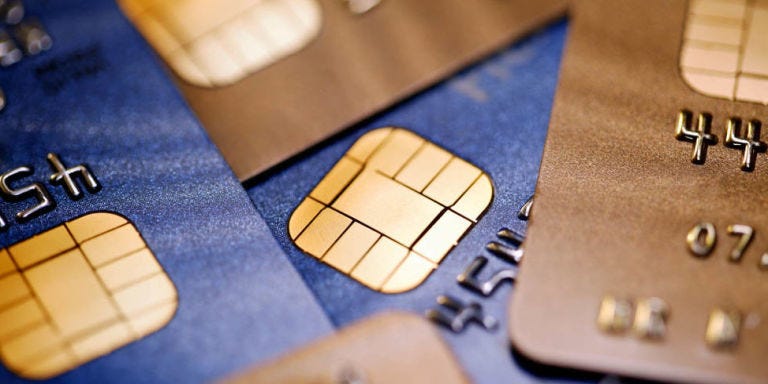
Swiping a chip credit card is a little like locking your front door, then climbing through the window because it feels faster. Yes, the transaction may go through. Yes, the cashier may smile. But behind the scenes, you may be giving up one of the best security features your card has: the EMV chip.
Credit card fraud does not always look dramatic. There is usually no hooded hacker typing green code in a basement while thunder cracks outside. Sometimes, fraud starts with a normal-looking gas pump, a self-checkout terminal, or an ATM that has been quietly modified with a skimming device. When you swipe the magnetic stripe on a chip card, the payment terminal reads static card data. If that reader has been tampered with, criminals may be able to capture information that can help them clone or misuse your card.
The safer move is simple: use the chip, tap to pay, or pay with a digital wallet whenever possible. That tiny chip on your card is not decorative jewelry for your wallet. It is there to make in-person purchases harder to counterfeit. This guide explains why swiping a chip credit card is riskier, how skimmers and shimmers work, and how to avoid getting hackedor more accurately, how to avoid having your payment information stolen.
Why Swiping a Chip Credit Card Is Riskier Than Inserting or Tapping
A traditional magnetic stripe stores payment data in a relatively static format. When you swipe, the terminal reads that stripe. The problem is that static data is attractive to criminals because copied information may be reused in fraud attempts. A skimmer installed over or inside a reader can capture data during the swipe, especially at unattended terminals such as gas pumps, parking kiosks, vending machines, and some ATMs.
Chip cards, also called EMV cards, work differently. When you insert the chip, the card and terminal communicate to create a unique transaction code. That code is designed for that specific purchase, not for endless reuse. In plain English: the magnetic stripe says, “Here is my card information.” The chip says, “Here is a one-time handshake for this exact transaction.” The second one is much less useful to criminals.
That is why payment networks, banks, and fraud-prevention experts have spent years encouraging chip and contactless payments. The goal is not to make shopping feel like a spy movie. The goal is to reduce counterfeit card fraud by making stolen transaction data harder to reuse.
Magnetic Stripe vs. Chip Card: The Security Difference
The magnetic stripe is old technology
The magnetic stripe was a major innovation in its day. It helped move payment cards from paper-based processes into faster electronic transactions. But by modern fraud standards, it is a soft target. The stripe can be read quickly, and if a criminal places a hidden skimmer on a compromised reader, the cardholder may never notice anything strange.
Think of the magnetic stripe as an old house key. If someone copies it, the copy can open the same door. A chip transaction is more like a one-time entry code that changes after each use. Even if someone sees one code, it should not open the door again.
The EMV chip creates a unique transaction code
When you insert a chip card, the chip helps authenticate the transaction. The card does not simply hand over reusable stripe data in the same way. Instead, it participates in a more secure exchange with the terminal. This is why chip card payments are considered safer for in-person purchases than swiping.
Of course, “safer” does not mean “magical.” Chip cards can still be involved in fraud, especially through stolen card numbers, online purchases, phishing scams, compromised merchants, or shimming attacks. But for in-person checkout, using the chip is generally a stronger choice than swiping the stripe.
What Happens When You Swipe Instead of Insert?
When you swipe a chip credit card, you may trigger what the payments industry often calls a magnetic-stripe transaction. In some cases, a terminal may allow a fallback transaction if the chip cannot be read. This is intended as a backup, not as your everyday payment strategy.
Fallback exists because technology sometimes fails. Cards get scratched, terminals malfunction, and checkout lines can turn into tiny social experiments in patience. But repeatedly swiping a chip card when the chip reader works defeats the point of having a chip. You are choosing the older, easier-to-copy path instead of the stronger one.
Some criminals exploit fallback behavior. If a merchant or terminal allows swiped chip cards too easily, fraudsters may try to use counterfeit cards or stolen stripe data. That is one reason many modern terminals ask you to insert the chip after you swipe a chip card. The machine is basically saying, “Nice try, but use the secure door.”
How Credit Card Skimmers Steal Card Data
A credit card skimmer is a device illegally attached to, inserted into, or hidden within a payment terminal. It is designed to capture card data when a person swipes or inserts a card. Some skimmers are obvious if you know what to look for; others are disturbingly convincing. They may match the color and shape of the real reader, making them difficult to spot during a rushed checkout.
Common targets include gas pumps, ATMs, convenience stores, self-checkout lanes, ticket machines, and unattended kiosks. Criminals like these places because customers move quickly, employees may not inspect terminals often, and outdoor machines can be harder to monitor.
Skimmers may also be paired with tiny cameras or fake keypad overlays to capture PINs. That is why debit card users should be especially careful: a stolen debit card number plus a PIN can create a faster path to draining money from a checking account. Credit cards often offer stronger practical protections because the money does not leave your bank account immediately.
What Is Credit Card Shimming?
Shimming is a newer cousin of skimming. Instead of targeting the magnetic stripe swipe slot, a shim is a thin device that can be hidden inside a chip reader. It may attempt to capture data exchanged during chip insertion. This does not mean chip cards are useless; it means criminals keep evolving because apparently getting a real job was not on their vision board.
The important point is that chip cards are still generally harder to counterfeit than magnetic-stripe cards. Shimming may capture some card information, but the unique cryptographic elements of a chip transaction are not as easy to reuse as static stripe data. Still, shimming is a reason to stay alert, especially at loose, damaged, or suspicious terminals.
Is Tap to Pay Safer Than Swiping?
In many everyday situations, tap to pay is one of the safest and most convenient options. Contactless cards and mobile wallets use security features that help avoid exposing the magnetic stripe. A tap transaction does not require you to slide your card through a reader, which reduces contact with parts of the terminal that skimmers commonly target.
Digital wallets such as Apple Pay, Google Wallet, and similar services may add another layer of protection by using tokenization. Instead of sharing your actual card number with the merchant in the usual way, the wallet can use a device-specific token for the transaction. Translation: your real card number gets to stay backstage while a body double handles the checkout.
That said, contactless is not a license to ignore common sense. You should still monitor your accounts, use strong phone security, avoid suspicious terminals, and report strange activity quickly. Security works best as a layered system, not as one heroic feature wearing a cape.
How to Avoid Getting Hacked When Using a Credit Card
1. Use the chip instead of swiping
If the terminal has a chip reader, insert your card rather than swiping. If it asks you to swipe only after the chip fails, try the chip again or ask the cashier whether another terminal is available. Do not make swiping your default just because it feels faster.
2. Tap to pay when available
When the terminal supports contactless payments, tapping is usually fast and secure. It also keeps your card away from the swipe slot and reduces the need to insert it into a reader that may have been tampered with.
3. Use a digital wallet
A mobile wallet can be a strong option because it may use tokenized payment credentials, device authentication, and biometric security. If your phone requires a passcode, fingerprint, or face authentication before payment, that adds another barrier.
4. Inspect the card reader
Before using an ATM, gas pump, or unattended kiosk, look at the reader. Does it seem loose, bulky, cracked, crooked, mismatched, or poorly attached? Does the keypad feel raised or strange? Give the reader a gentle wiggle. If something feels off, do not use it. Your money deserves better than “eh, probably fine.”
5. Avoid isolated or poorly lit terminals
At gas stations, choose pumps near the store entrance or pay inside. Criminals prefer terminals that are less visible to employees and cameras. A pump at the far edge of the lot may be convenient, but it can also be the fraudster’s favorite little project.
6. Cover your PIN
When entering a PIN, cover the keypad with your other hand. This protects you from hidden cameras and shoulder surfing. Even if you feel dramatic doing it, remember: looking slightly paranoid for three seconds is better than spending three hours on the phone with your bank.
7. Turn on transaction alerts
Most major card issuers let you set up text, email, or app alerts for purchases. Turn them on. A real-time alert can help you catch fraud before it grows from one weird charge into a full financial circus.
8. Use credit cards instead of debit cards for risky terminals
For gas pumps, hotels, travel, online shopping, and unfamiliar merchants, a credit card may be safer than a debit card. With a credit card, suspicious charges are usually disputed before you pay the bill. With a debit card, stolen funds can leave your checking account quickly, which may cause overdrafts, missed bills, and stress.
9. Lock your card when something looks wrong
Many banking apps allow you to lock or freeze your card instantly. If you used a suspicious terminal or see a charge you do not recognize, lock the card and contact the issuer. A fast response can prevent additional damage.
10. Use virtual card numbers online
For online purchases, some issuers offer virtual card numbers. These can reduce exposure of your real card number. They are especially useful for free trials, unfamiliar merchants, and subscriptions that seem just a little too excited to keep billing you forever.
What to Do If You Swiped at a Suspicious Terminal
First, do not panic. Swiping once at a suspicious terminal does not guarantee fraud. But you should act quickly and calmly. Check your recent transactions. Lock the card if your issuer allows it. Contact the card issuer using the number on the back of your card or inside the official mobile app. Do not call a number printed on a suspicious ATM sticker or random text message.
If you see unauthorized charges, report them immediately. Federal protections limit consumer liability for unauthorized credit card charges, but timing and documentation matter. Keep notes of when you noticed the problem, where you used the card, and what charges you dispute.
You may also request a replacement card with a new number. If the card was used for recurring bills, update trusted merchants after the new card arrives. Yes, this is annoying. No, criminals do not care about your streaming subscription. That is why we cannot have nice things.
How Merchants Can Help Protect Customers
Consumers are not the only people responsible for safer payments. Merchants should inspect terminals regularly, use tamper-evident seals, train employees to spot suspicious devices, and upgrade outdated equipment. Businesses should also encourage chip and contactless transactions instead of relying on swipe fallback.
Small businesses sometimes delay terminal upgrades because of cost, confusion, or the timeless business strategy known as “we’ll deal with it later.” But outdated payment equipment can increase fraud risk, damage customer trust, and create liability headaches. A secure checkout experience is not just a technical detail; it is part of customer service.
Common Myths About Chip Credit Cards
Myth 1: “If my card has a chip, swiping is still safe.”
The chip helps most when you actually use it. Swiping a chip card uses the magnetic stripe, which is the older and less secure method. Having a seatbelt does not help much if you sit on top of it.
Myth 2: “Tap to pay can easily be stolen from across the room.”
Contactless payments require close-range communication and use security features designed to protect transaction data. While no payment method is perfect, tap to pay is generally considered safer than swiping at a questionable terminal.
Myth 3: “Only debit cards are skimmed.”
Debit cards are a major target because they connect directly to bank funds, but credit cards can be skimmed too. Any card with a magnetic stripe can be attractive to criminals if the data can be captured.
Myth 4: “Fraud only happens at ATMs and gas pumps.”
ATMs and gas pumps are common targets, but skimmers have also appeared at retail checkout counters, self-checkout lanes, convenience stores, and other payment terminals. Stay alert wherever you pay.
Best Payment Habits for Everyday Security
A good payment routine does not need to be complicated. Use tap or chip whenever possible. Avoid swiping unless there is no reasonable alternative. Keep your card in sight. Review statements weekly. Turn on alerts. Use a credit card for higher-risk purchases. Keep your banking app updated. Protect your phone with a strong passcode or biometric lock.
Also, slow down at checkout. Fraudsters benefit from rushed behavior. A five-second glance at a terminal can save you from a week of calls, disputes, replacement cards, and suspicious charges from a city you have never visited.
Real-World Experiences: Lessons From the Checkout Line
Most people do not think about card security until something weird happens. The first lesson usually arrives at a gas pump. Imagine pulling into a station late at night, tired, hungry, and emotionally dependent on a bag of chips from inside the store. The pump asks for your card. You swipe because the chip reader looks slow. The transaction works. You drive away. Two days later, your phone buzzes with a purchase alert from a different state. Suddenly that “quick swipe” feels less convenient.
One practical experience many cardholders share is that fraud often appears in small test charges before bigger ones. A criminal may try a tiny purchase first to see if the card is active. If it works, larger charges may follow. That is why transaction alerts are so useful. They turn your phone into a financial smoke alarm. You do not need to stare at your account all day like a nervous raccoon guarding snacks. You just need to know quickly when something unusual happens.
Another common experience happens at self-checkout. The line is long, someone behind you is sighing like they are auditioning for a weather report, and the terminal looks normal enough. But skimmers can be designed to blend in. A reader that feels loose, has odd seams, or looks slightly different from the next register deserves attention. If one terminal looks strange, use another or ask an employee. It may feel awkward, but so does explaining to your bank why your card bought designer sneakers at 2:13 a.m.
Travelers also learn this lesson quickly. Hotels, taxis, airport kiosks, parking garages, and tourist-heavy shops can all involve unfamiliar payment terminals. A smart habit is to use a credit card or mobile wallet while traveling and keep a backup card stored separately. If one card is compromised, you are not stranded. The backup card is not glamorous, but neither is washing socks in a hotel sink because your debit card got locked.
Parents and students can benefit from safer habits too. Teens using their first card should learn that “card declined” is not the only checkout problem. The better question is: “Which payment method gives away the least useful information?” In many cases, that means tap, mobile wallet, or chip. Swiping should be treated as the last option, not the default move.
Small business owners have their own version of the experience. A customer reports fraud after shopping at the store, and even if the business did nothing wrong intentionally, trust can take a hit. Regular terminal inspections, employee training, and modern payment equipment help protect both sides of the counter. Good security is good hospitality. It tells customers, “We care about your money, not just the part you are spending here.”
The biggest experience-based takeaway is simple: convenience should not bully security. Swiping may save a few seconds, but chip and contactless payments usually offer stronger protection. Build the habit now. Future you, sipping coffee without a fraud dispute on hold, will be grateful.
Conclusion
You should not swipe a chip credit card unless you truly have no better option. The chip exists to make in-person transactions more secure by creating a unique transaction code. Swiping falls back to older magnetic-stripe technology, which is easier for skimmers to target and less resistant to counterfeit fraud.
The best way to avoid getting hacked at checkout is to reduce the amount of reusable card data you expose. Tap to pay when available. Use a digital wallet when possible. Insert the chip instead of swiping. Inspect terminals before using them. Cover your PIN. Turn on alerts. Lock your card quickly if something looks suspicious.
Credit card security is not about fear. It is about habits. A few small choices at checkout can make your card much harder to misuse. And unlike most adult responsibilities, this one does not require a spreadsheet, a committee meeting, or pretending to understand your printer. Just stop swiping the chip card when safer options are available.